Start a 14-day trial
Time tracking

Time on the task, not on a timesheet

Start a timer from a task, or log time by hand. Each person sees their week; managers see the time on the projects they run, by person, project or task, with what is billable.

On the task

A timer, or an entry by hand

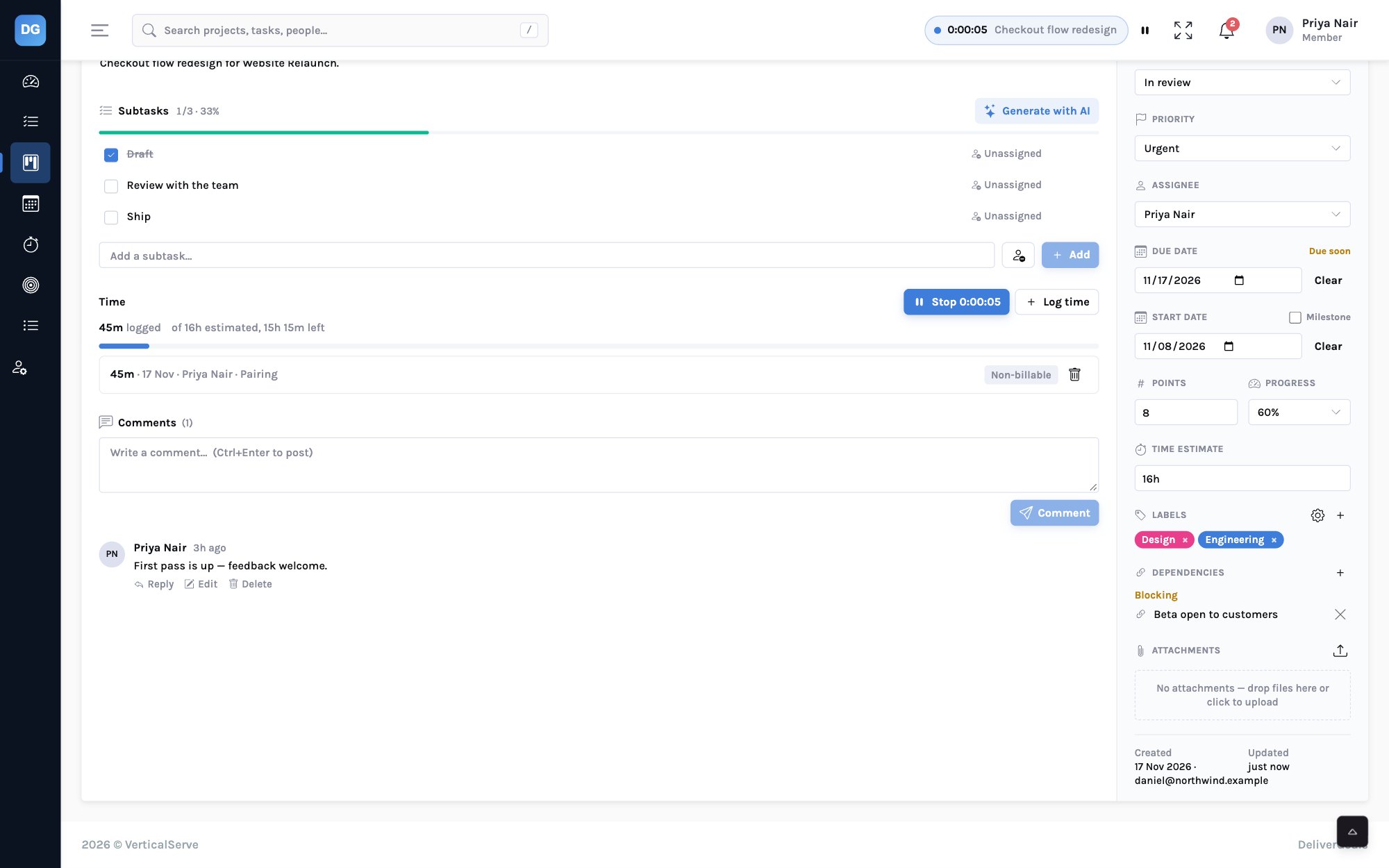
Every task has a Time section: start a timer, or log time with a day, a duration (1:30, 1.5h or 45m), a note and whether it is billable. Set a time estimate and the task shows how much is left, or how far over it is.

  • The running timer stays in the top bar on every page and every device
  • A timer that runs past midnight is split per day; past 24 hours only the first 24 count
  • Under a minute logs nothing, and a day never holds more than 24 hours
app.delivergoals.com · Task · Time
The task panel for Checkout flow redesign with a timer running in the top bar (Checkout flow redesign, a few seconds in): a Time section showing 45m logged of 16h estimated, 15h 15m left, a progress bar, a Stop button with the running clock and a Log time button, and one entry (45m, 17 Nov, Priya Nair, Pairing, Non-billable); in the side panel a Time estimate field reading 16h.
Start a timer from the task or log time by hand. The section compares what was logged with the estimate.
My time

Your week on one page

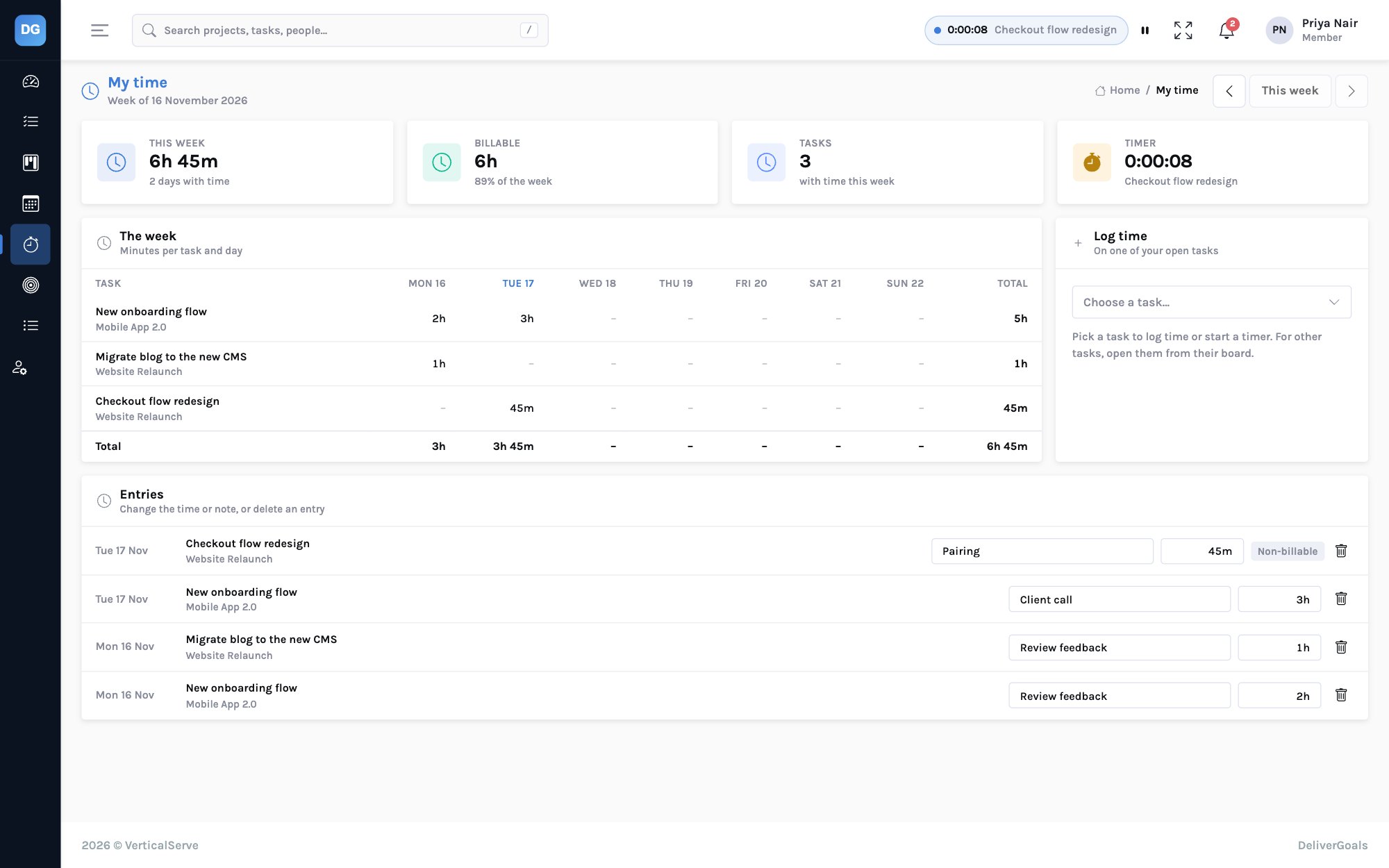
My time lays out the week by task and day with totals and billable time, a form to log time on any of your open tasks, and every entry ready to edit or delete.
app.delivergoals.com · My time
My time for Priya Nair, week of 16 November 2026: tiles for 6h 45m this week (2 days with time), 6h billable (89%), 3 tasks and a running timer; a week grid of tasks by day (New onboarding flow 2h and 3h, Migrate blog to the new CMS 1h, Checkout flow redesign 45m; total 6h 45m); a Log time panel with a task picker; and the week’s entries with editable notes and durations.
One person’s week: tasks by day with totals, the running timer, and every entry editable in place.
Time report

Where the hours went

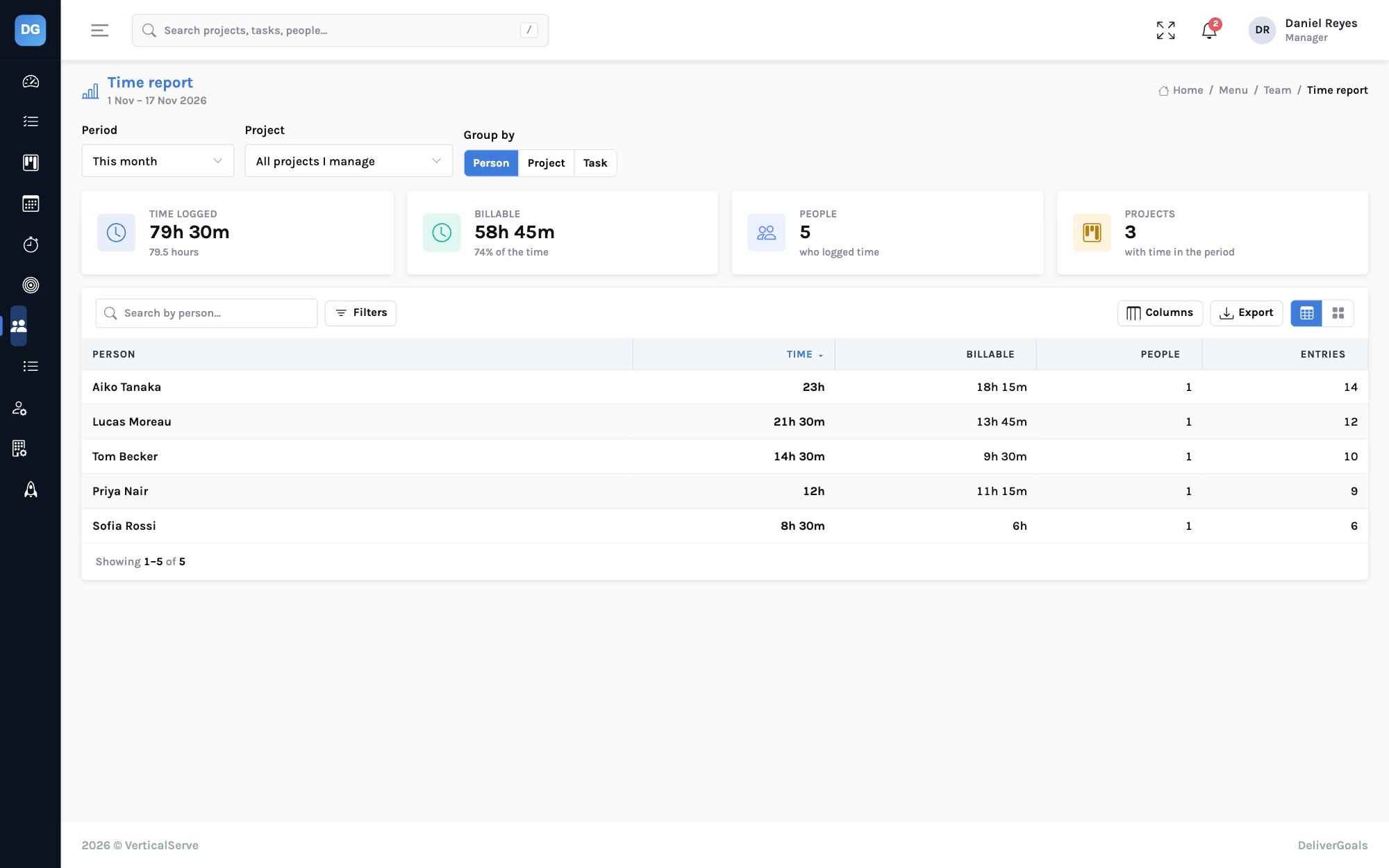
For admins and project managers: time logged on the projects they manage, for this week, last week, this month or any range, grouped by person, project or task, with billable time, and estimates beside actuals by task. Export to CSV.
app.delivergoals.com · Time report
Time report for a manager, 1 to 17 November 2026, grouped by person: 79h 30m logged, 58h 45m billable (74%), 5 people, 3 projects; a table with Aiko Tanaka 23h, Lucas Moreau 21h 30m, Tom Becker 14h 30m, Priya Nair 12h and Sofia Rossi 8h 30m, with billable time, people and entries; period, project and group-by controls and an Export button.
Time on the projects you manage, by person, project or task, with billable time and an export.
How it works

From a task to the report

From a task to the report 1TaskHas an owner and,optionally, anestimate.2Timer or entryStarted from thetask, or logged byhand with a day and aduration.3RulesSplit at midnight, 24hours a day at most,no future days.4My timeEach person’s week,editable.5Time reportBy person, project ortask, with billabletime.From a task to the report 1TaskHas an owner and, optionally, anestimate.2Timer or entryStarted from the task, or loggedby hand with a day and a duration.3RulesSplit at midnight, 24 hours a dayat most, no future days.4My timeEach person’s week, editable.5Time reportBy person, project or task, withbillable time.
People edit only their own entries; managers see time on the projects they run; admins see the company’s.
Questions it answers

What you can find out

Each answer is on a screen you can open.

How long has this task taken against its estimate?The Time section on the task
What did I work on this week?My time
How many hours went into this client project last month?The time report, by project
Who is spending the most time where?The time report, by person
Is a timer still running?The clock in the top bar
Can I send time to another system?The time.logged webhook, or the API with a key
In practice

What teams use it for

Bill a client fairly

Report billable hours on the client project for the month and export them.

Learn to estimate

Compare estimates with actuals by task at the end of a project.

See a week at a glance

Each person checks My time on Friday and fixes anything missing.

Where it stops. Time tracking records hours; it does not price them. There are no rates, invoices, weekly approvals or locked weeks (LogTicks, VerticalServe’s timesheet product, does those). There is no idle detection or desktop app.

Track one week

Start a timer on your first task today and look at My time on Friday. The 14-day trial covers up to 10 people.

Start a 14-day trial