
The work that runs itself, and the tools it talks to
Turn on a few simple rules, let people outside the team ask for work through a form, and keep Slack, Teams and GitHub in step with the board.
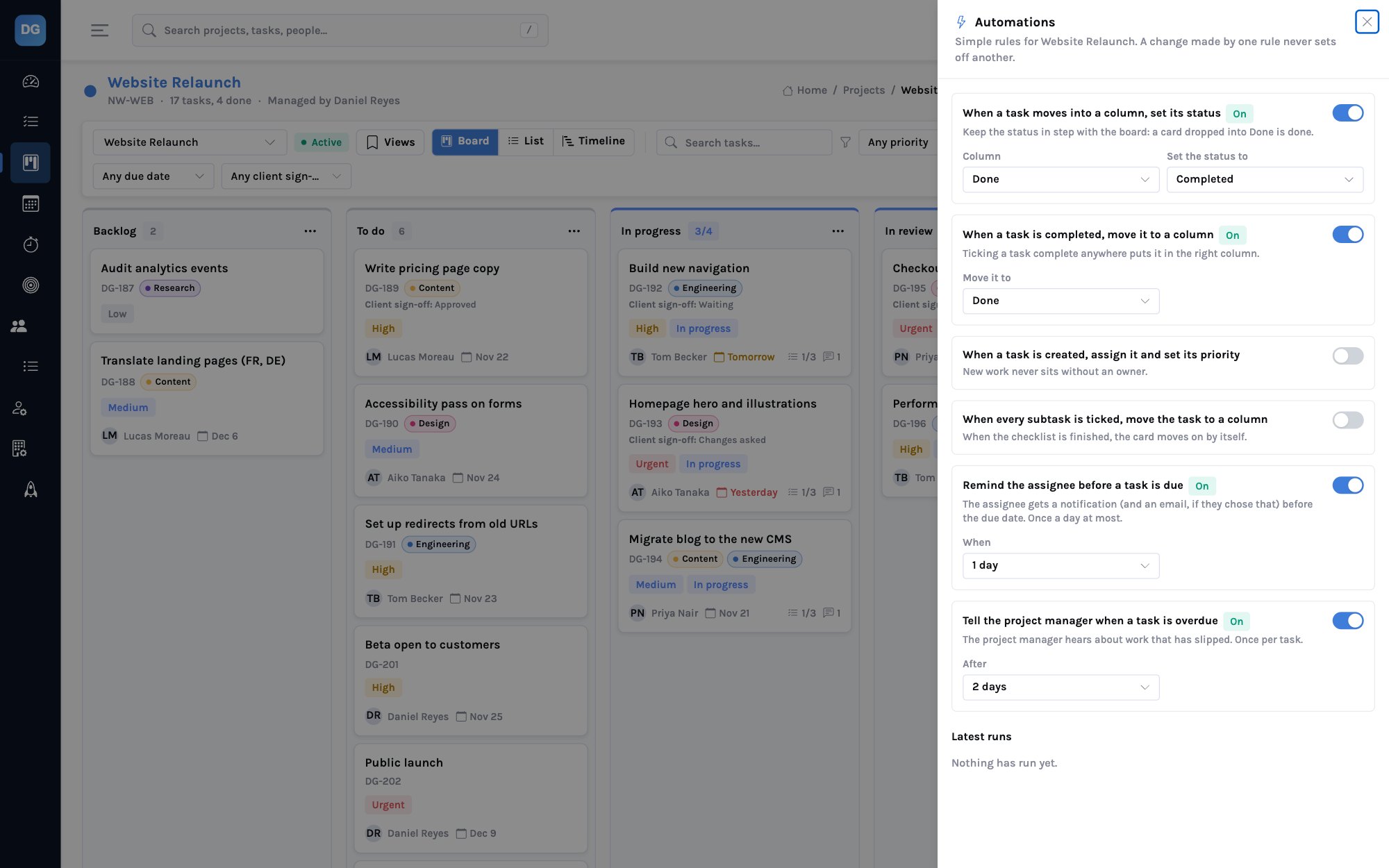
Six rules, switched on per project
A project’s manager switches on the recipes they want and picks their settings:
- When a task moves into a column, set its status
- When a task is completed, move it to a column
- When a task is created, assign it and set its priority
- When every subtask is ticked, move the task on
- Remind the assignee before a task is due
- Tell the project manager when a task is overdue
A change made by one recipe never sets off another, so rules cannot loop. The sheet shows the latest runs.
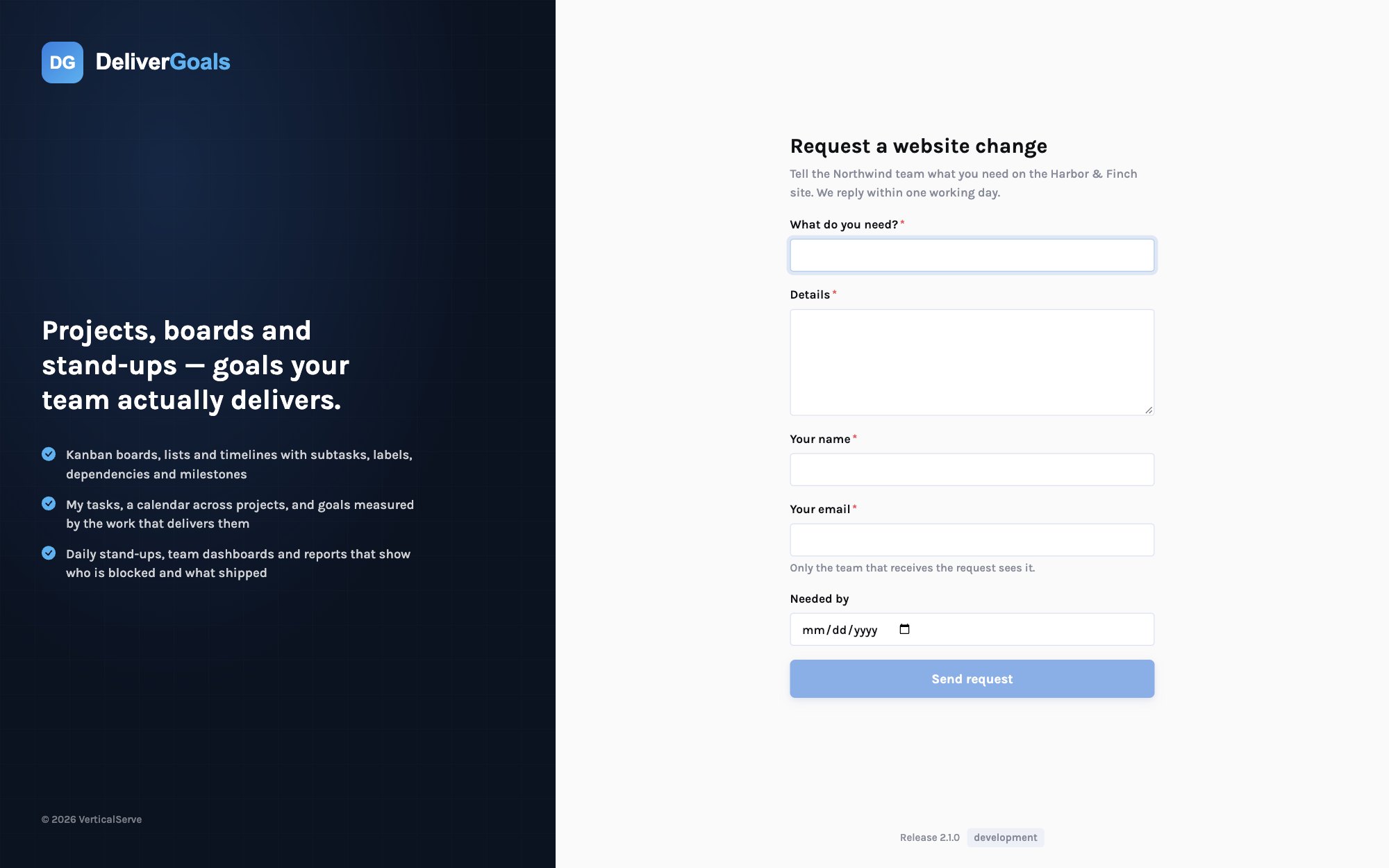
Let anyone ask for work
A manager creates a public form for a project, with its own title and intro, the column new requests land in, and which fields to ask for. Anyone with the link can send a request; it becomes a task and the manager is told. A human check, rate limits and a hidden trap field keep scripts out, and the link can be paused, changed or given an expiry.
Where your team already talks
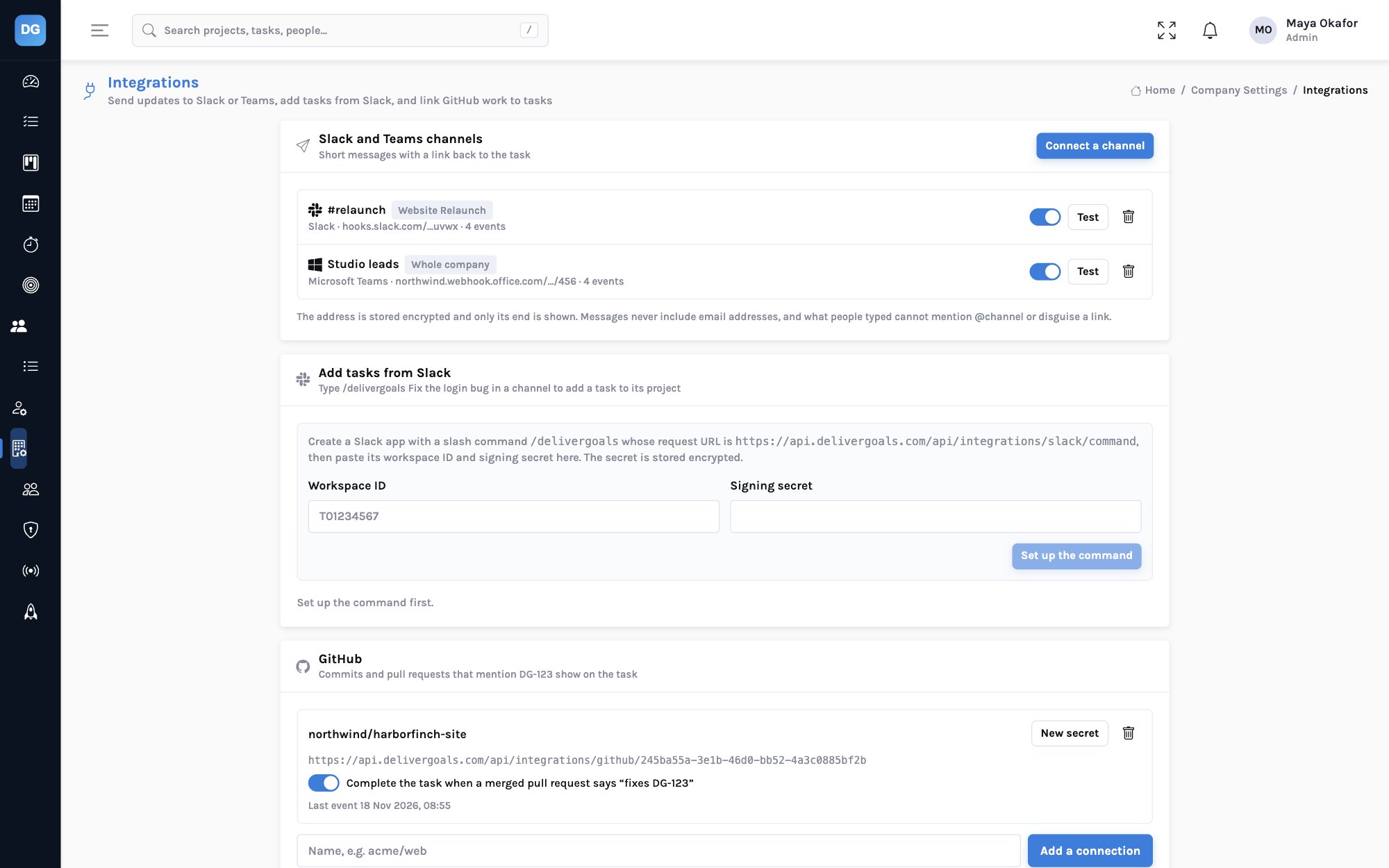
Connect a Slack or Teams channel to the company or to one project and choose its events: tasks created, assigned or completed, comments, goal check-ins, requests, and a morning overdue digest. In Slack, /delivergoals Fix the login bug adds a task to the channel’s project.
Connect GitHub and any commit or pull request that mentions DG-123 appears on that task; “fixes DG-123” on a merged pull request can complete it.
What these connections will not do
Leak a secret
Slack and Teams addresses and the Slack signing secret are stored encrypted; only their ends are shown.
Accept a forged call
Slack commands and GitHub events are checked against their signatures and refused if they are old or wrong.
Ping the whole channel
Text people typed cannot trigger @channel or disguise a link, and messages never include email addresses.
Call anywhere
Only real Slack and Teams addresses are accepted, sent through the same guard as webhooks; GitHub is never called back.
A request, from the form to Done
What you can find out
Each answer is on a screen you can open.
What teams use it for
A request form into Backlog, with the create recipe assigning the triage owner.
A Slack channel for the client project, with completed and comment events.
GitHub with fixes DG-123 on merged pull requests.