
How teams run projects in DeliverGoals
Worked examples of boards, timelines, goals, stand-ups, reports and the AI assistant. Every example uses Northwind Studio, the fictional demo workspace, so the screens are the product and the data is made up.
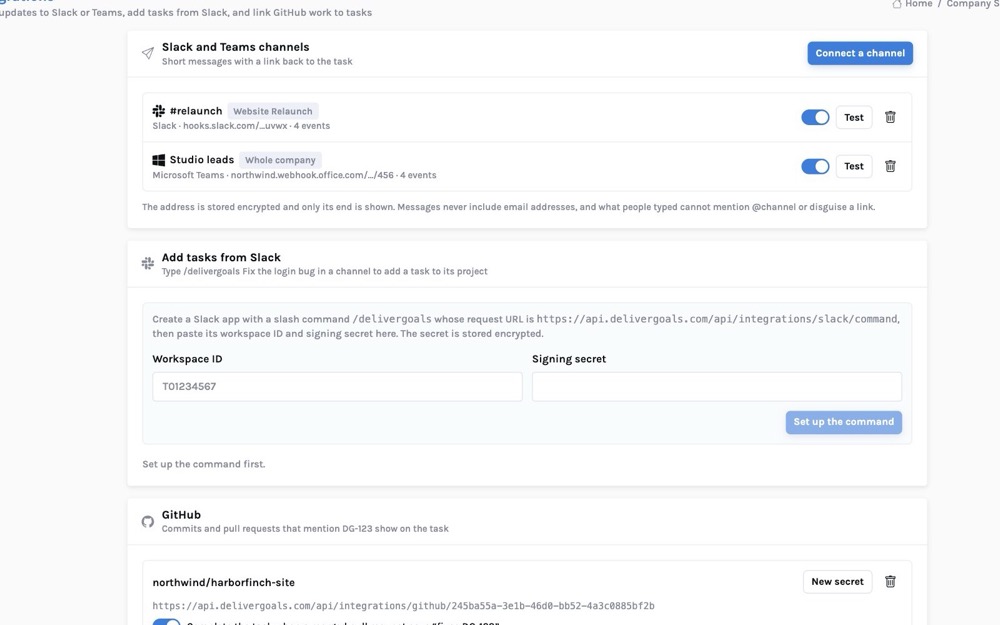
Work where your team already talks
Your team lives in Slack or Teams, your engineers in GitHub, your client in their inbox. DeliverGoals now meets them there: channel messages and a Slack command, commits and pull requests on the task, clients as guests, and boards that update while you look at them.
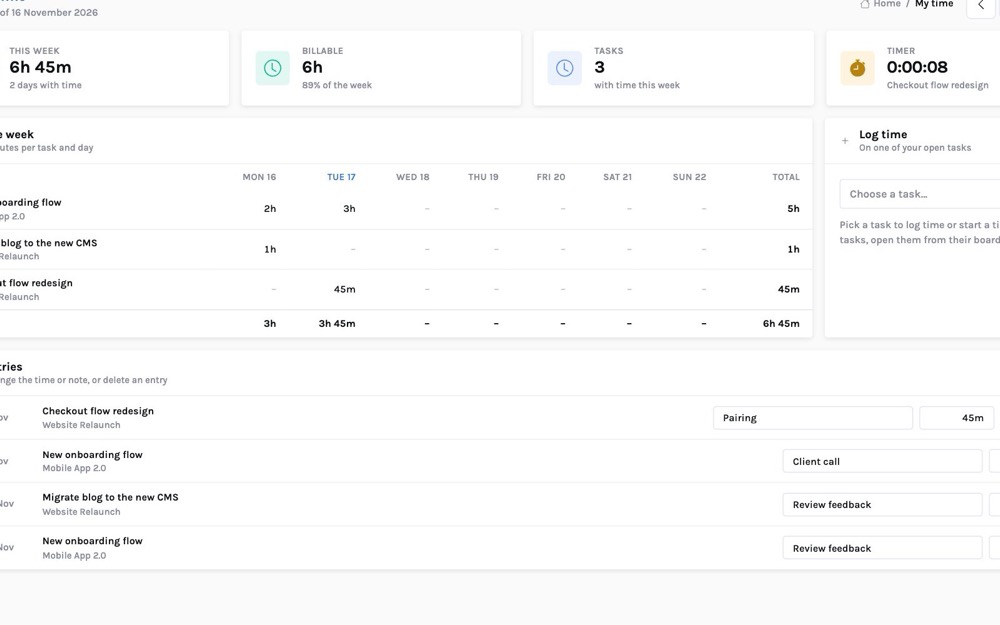
Time tracking without timesheets: hours where the work is
Most teams that run on a board do not need a weekly timesheet. They need to know how long the work took, against what they expected, without anyone filling in a grid on Friday. Here is how time on tasks works in DeliverGoals, with the figures from the demo.
The complete project cycle in DeliverGoals: from the first brief to the last task done
Eight stages, the screen each one happens on, who does it and how often. One worked example across the demo workspace, from a client relaunch started on a board to a brand project brought over from Asana.
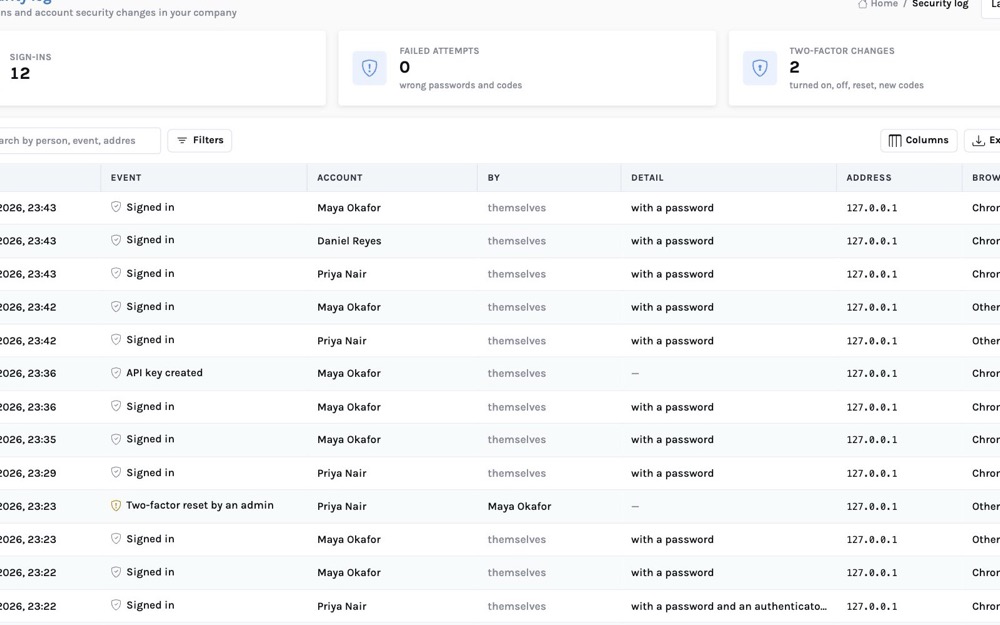
Securing your workspace: an admin’s checklist
Two-factor sign-in, a company policy, a security log, scoped API keys and signed webhooks. Here is what each one protects against, the order to turn them on in, and where they stop, on the Northwind Studio demo.
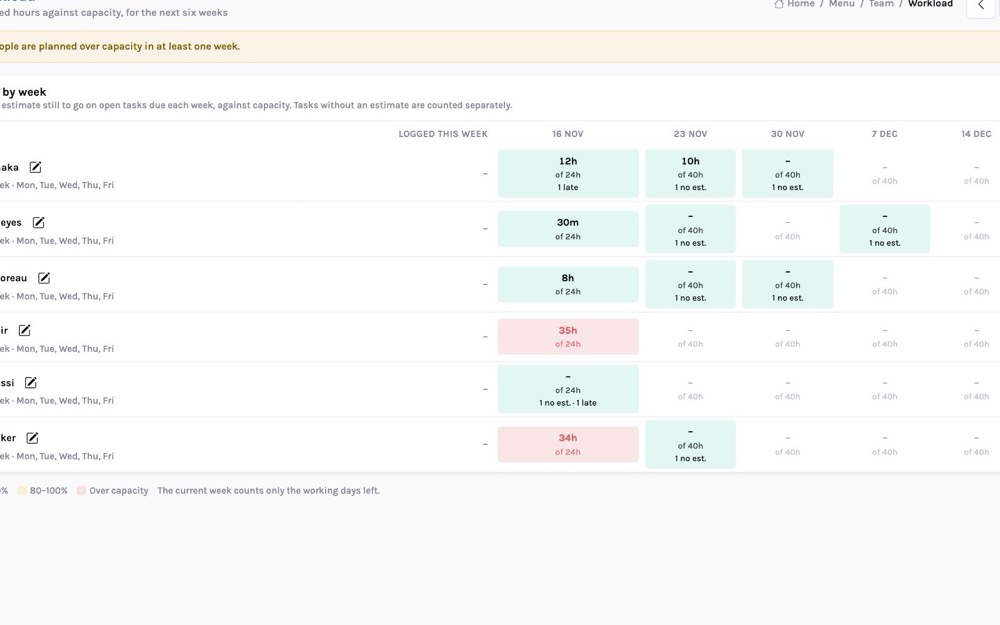
Plan capacity before you promise a date
A date is only as good as the hours behind it. Estimates on tasks, a workload view of people against their weekly capacity, a portfolio roadmap that says which projects are at risk and why, and dependency arrows on the timeline. How a manager uses them before saying yes.
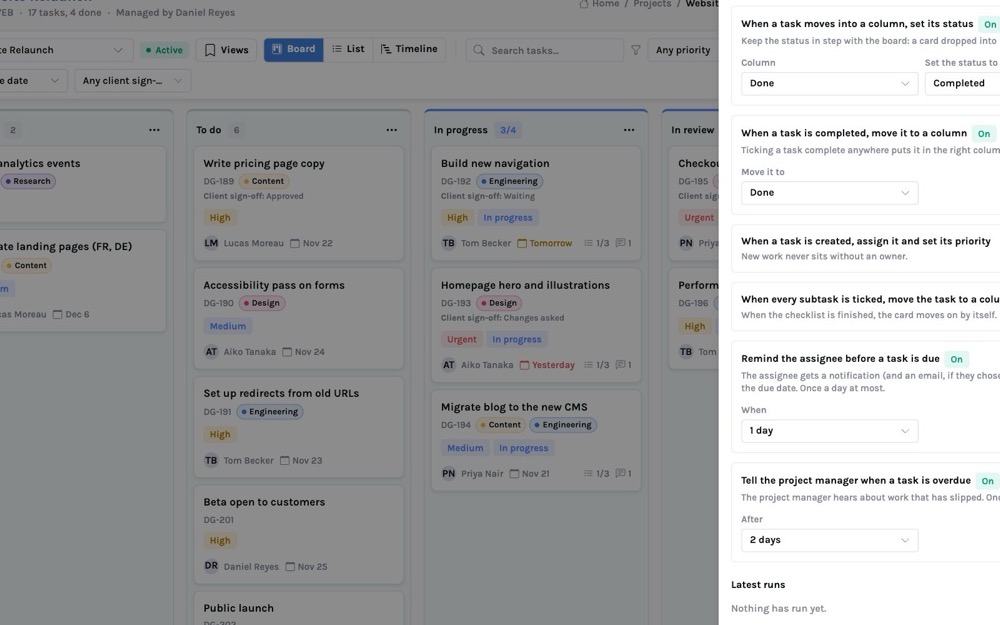
Automate the busywork: the work that runs itself
Requests that arrive by email, cards nobody moves, the weekly note someone forgets, the same project set up by hand every month. Four small features take that work off people: request forms, automation recipes, recurring tasks and templates. A walk through all four on the demo workspace.
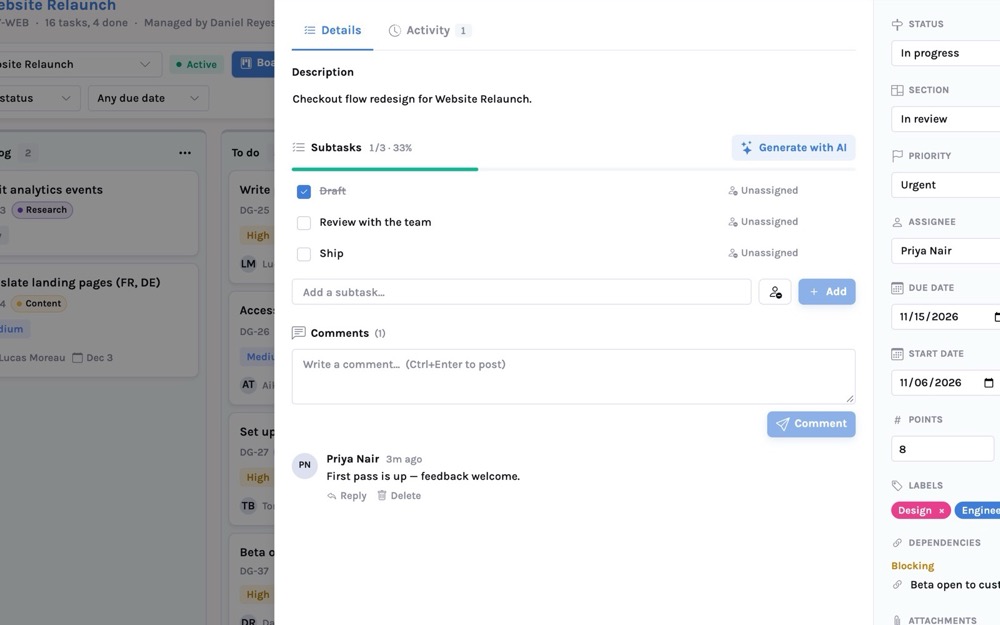
The life of a task: from a line on the board to done, and who hears about it
One task, “Checkout flow redesign”, followed from the moment it is typed to the moment it is ticked: what to fill in, when to split it, how it holds other work up, and exactly who is notified along the way.
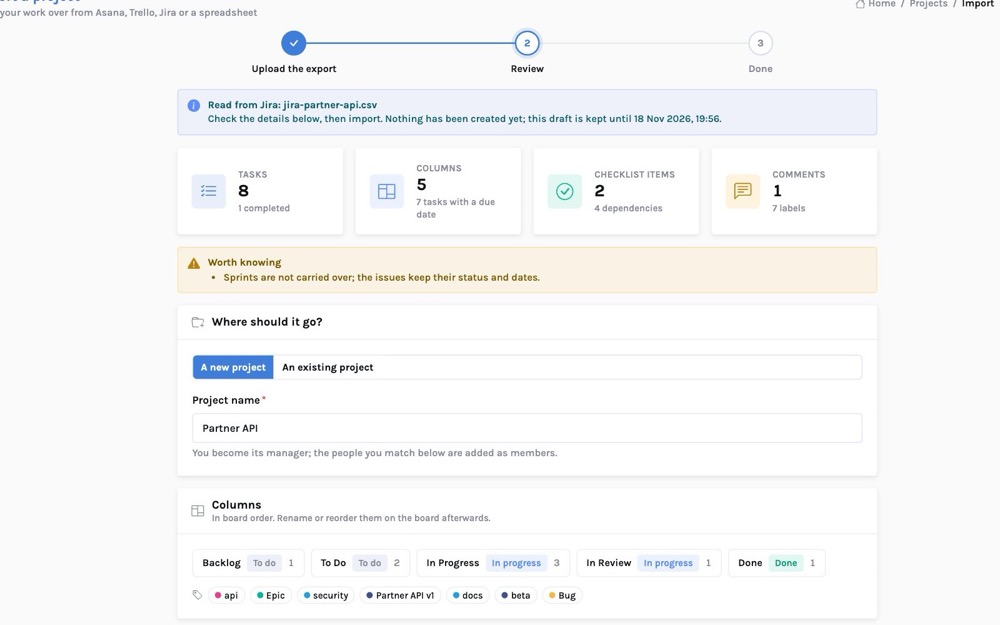
Moving a project from Jira to DeliverGoals
Export the project’s issues from Jira as CSV, upload them, check how statuses became columns, and import. A walk through the Partner API example, and an honest word on who should and should not move.
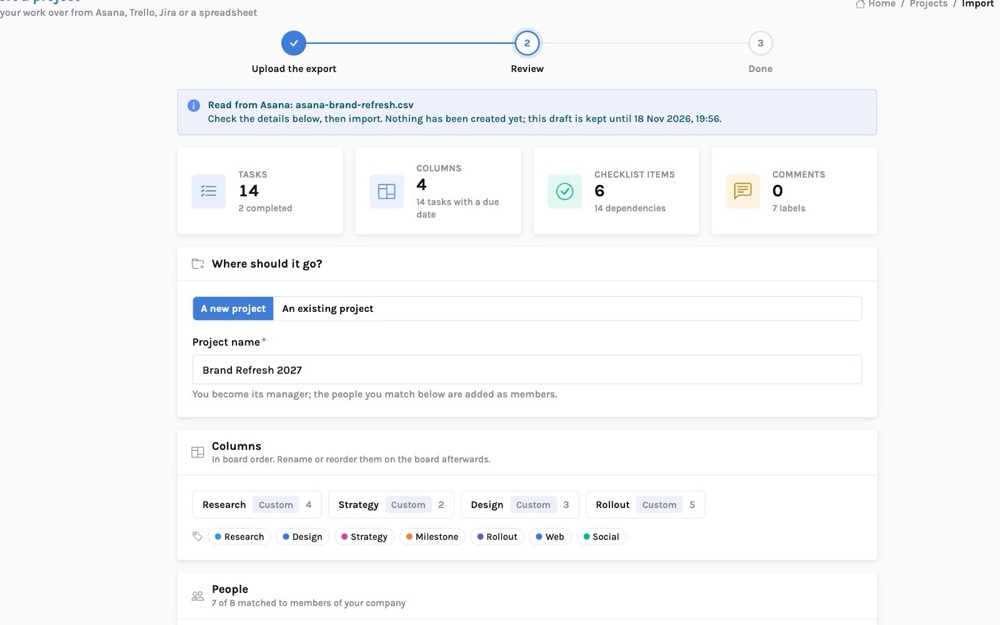
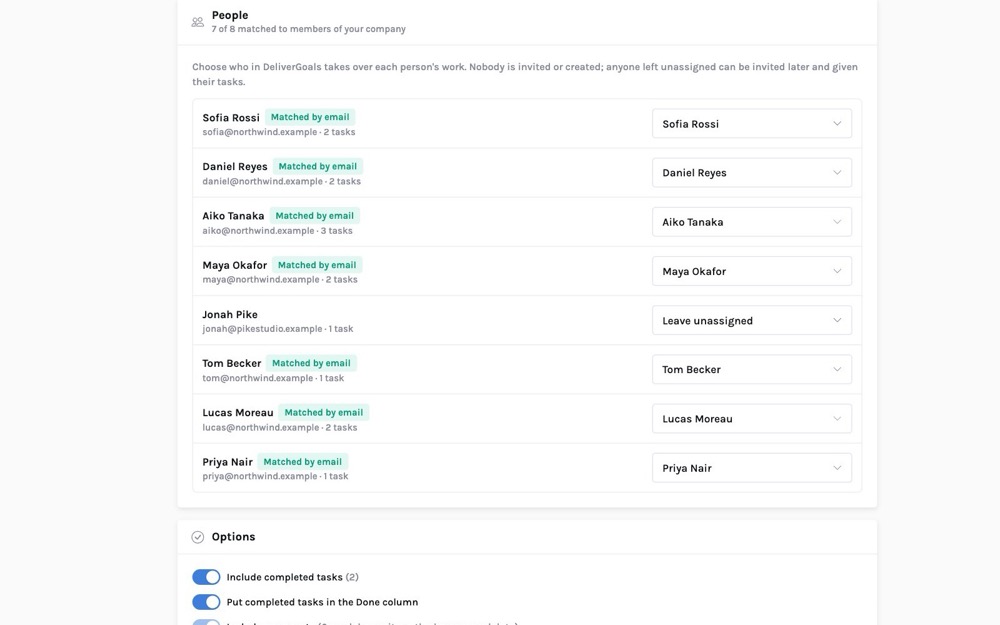
Moving a project from Asana to DeliverGoals
Export one project from Asana as CSV, upload it, check what was read, match the people, and import. A step-by-step walk through the Brand Refresh 2027 example, with what comes across and what does not.
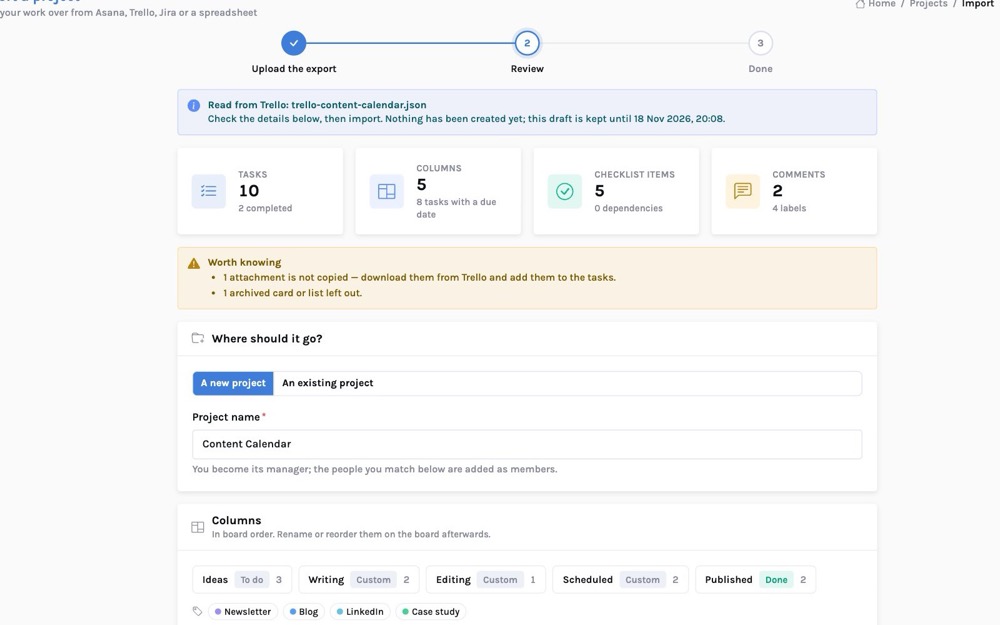
Moving a board from Trello to DeliverGoals
Export a Trello board as JSON, upload it, check the lists, labels and people it found, and import. A walk through the Content Calendar example, including what a Trello export does not contain.
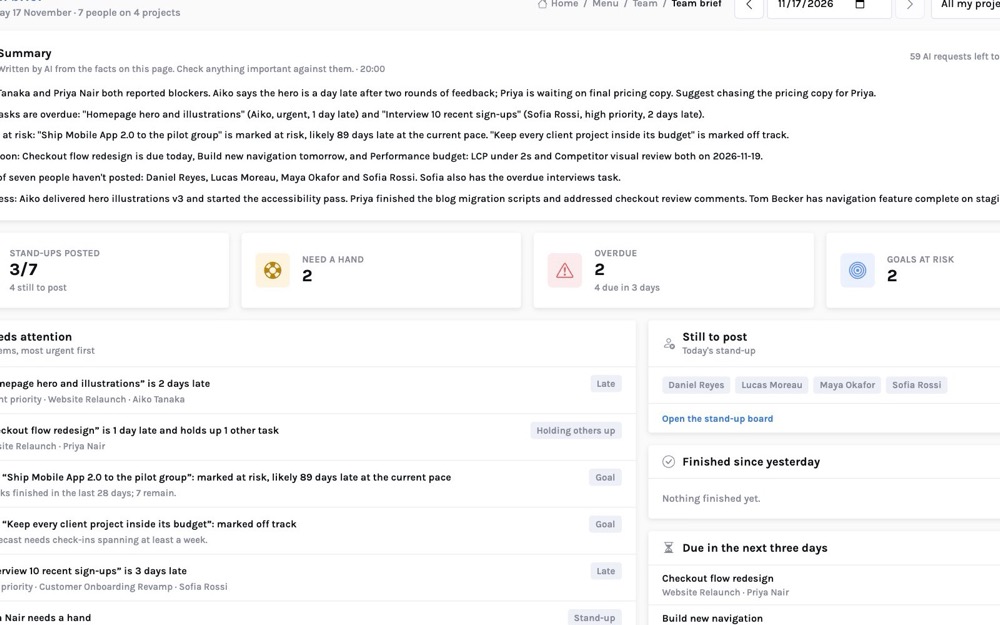
The manager’s daily brief: what is stuck, what is late, and which goals will miss
Five minutes each morning on one page: the facts counted by the product, everything stuck ranked in one list, goal forecasts from the real pace of work, and a short summary written from those facts and labelled as AI.
Switching project tools in a week, without losing work
Most tool migrations fail slowly: half the team keeps using the old board, nobody knows which copy is true, and the move is quietly abandoned. This is a five-day plan for doing it properly: what to bring, what to leave, who does what each day.
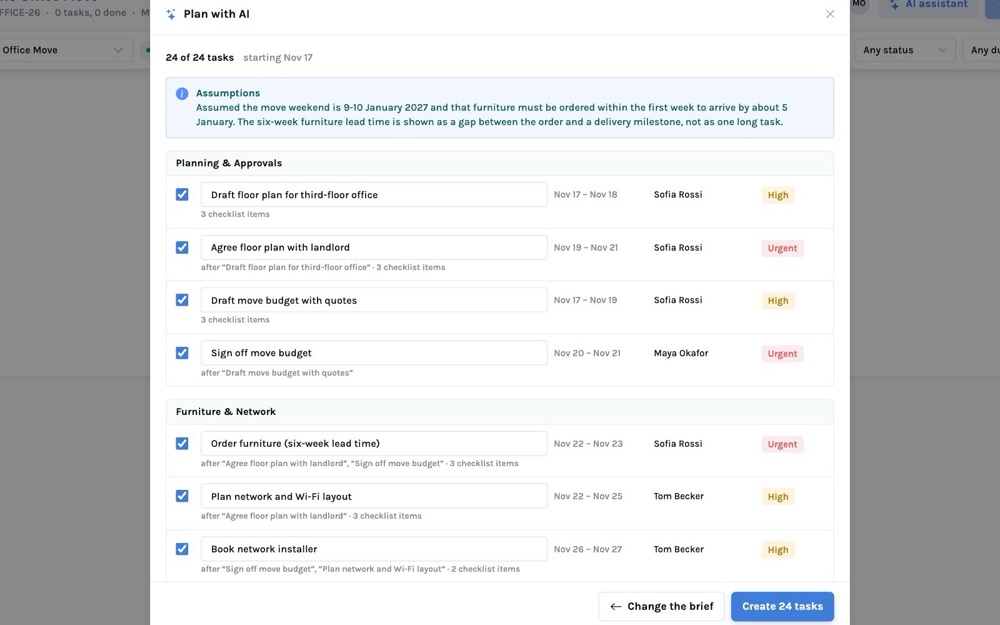
Plan a project with AI, then approve it
Describe a project in a few sentences and DeliverGoals drafts the board: columns, tasks, dates, owners and what waits for what. Nothing exists until you have read it and pressed Create. A worked example, and the rules the draft has to follow.
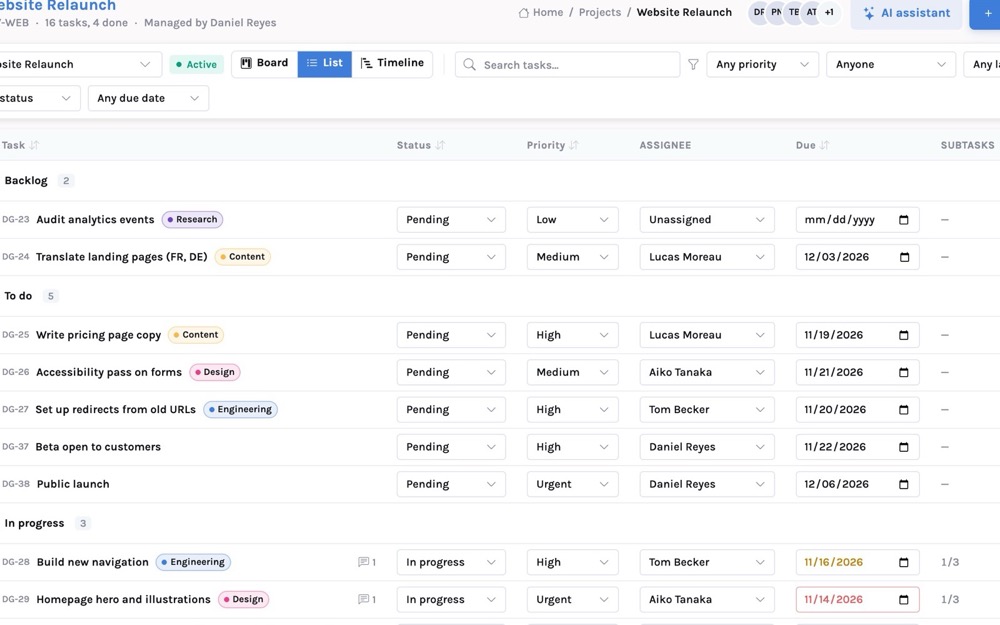
From spreadsheets to a board: importing any task list
A lot of teams run their work in Excel or Google Sheets, or in a tool whose only way out is a CSV. This is what DeliverGoals reads from such a file, how to shape the sheet so it imports cleanly, and an honest look at what you gain.
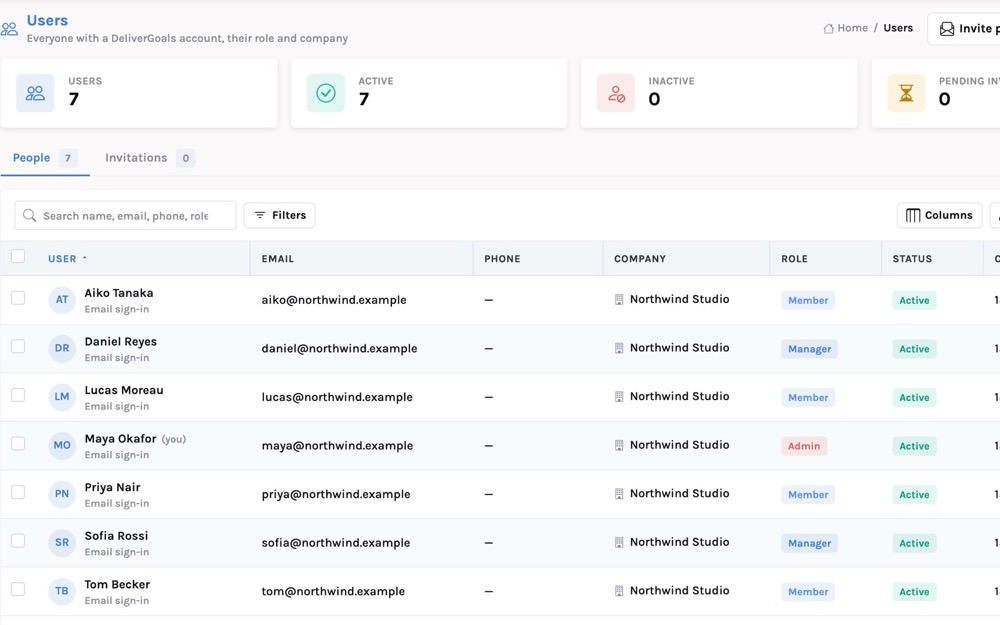
How DeliverGoals keeps one company’s work separate from another’s
Roles, project membership, invitations, sessions, uploads and rate limits, explained without jargon. What the product does to keep your boards yours, and what it does not have.
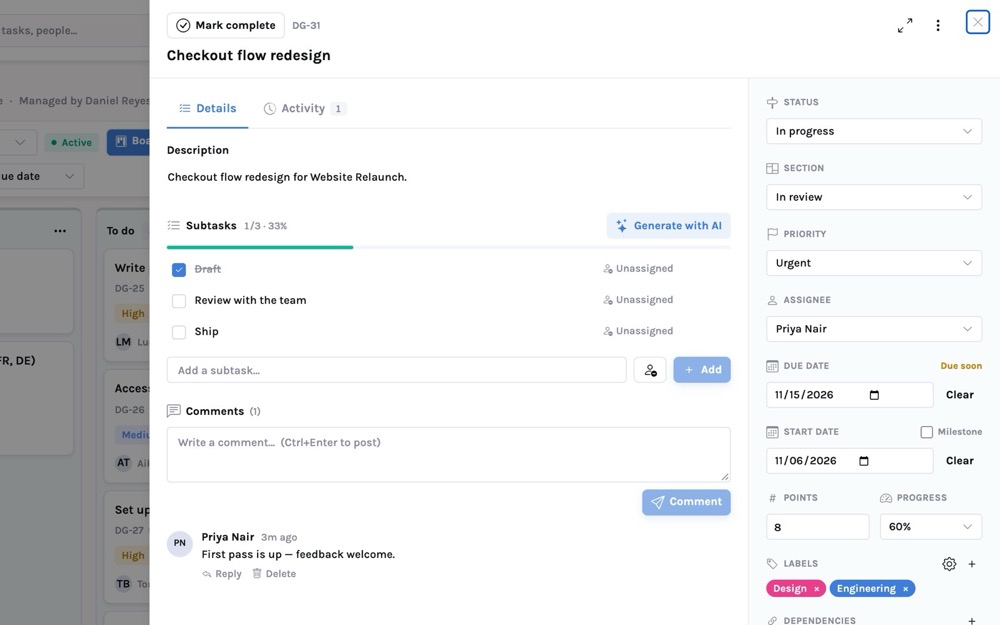
Using the AI assistant to break work down
The assistant in each DeliverGoals project creates, updates and moves tasks from a plain-English prompt, reports where the board stands, and generates subtasks. This is how to phrase requests, what it will not do, and why you read the result before the team does.
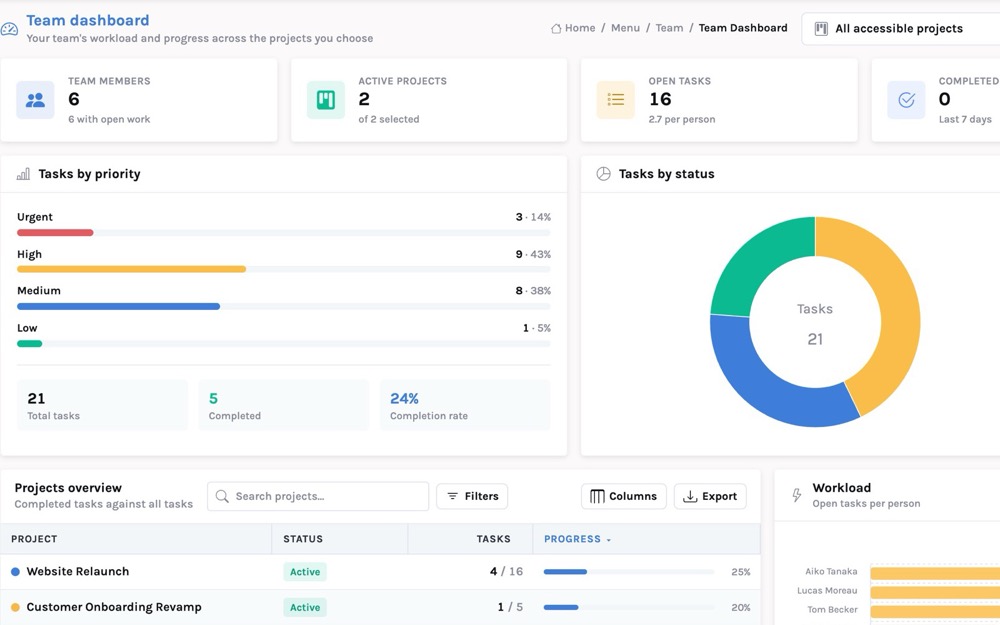
A manager’s Monday: team dashboard, reports and the activity log
Three screens, about twenty minutes, once a week: who is carrying too much, what is late, how much got finished, and what changed while you were not looking. A walk through the numbers in the demo workspace.
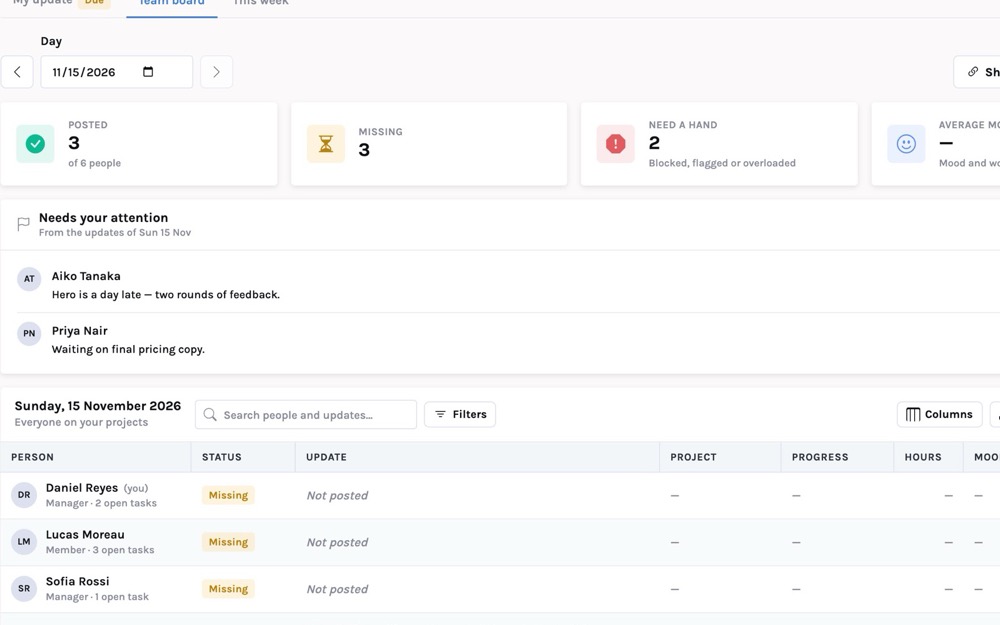
The ten-minute daily stand-up: written updates, “needs a hand”, and sharing with a client
A stand-up exists to find out who is stuck. Three written lines from each person, read by the manager in a few minutes, do that without putting six people in a call. Here is how it runs in DeliverGoals.
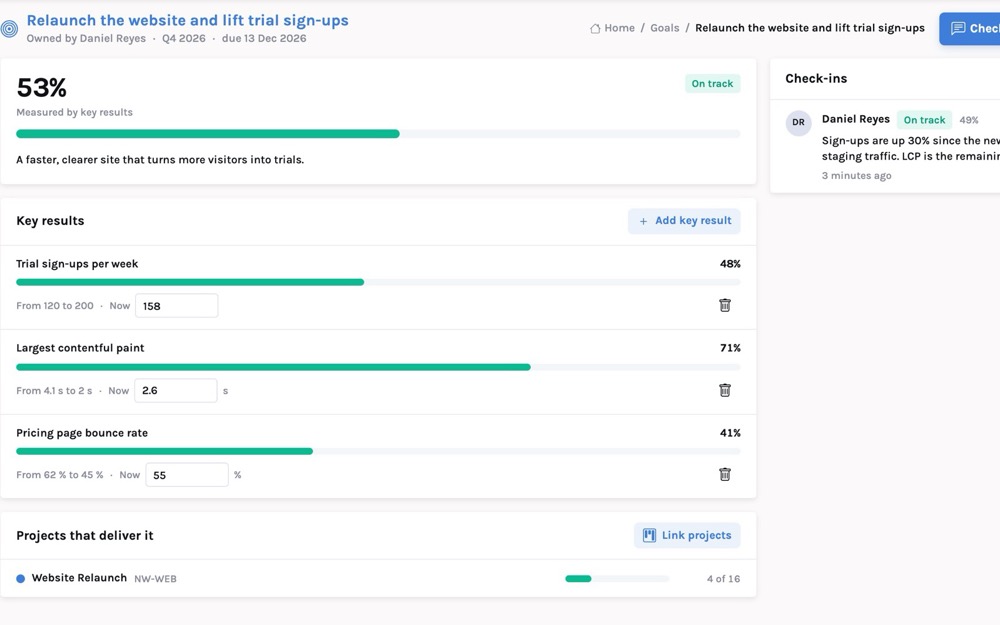
Goals that measure themselves: key results, linked projects and the check-in habit
Most goal lists die because somebody has to remember to update a percentage. In DeliverGoals a goal can take its progress from key results or from the tasks done in linked projects. Here is when to use each, with the arithmetic shown.
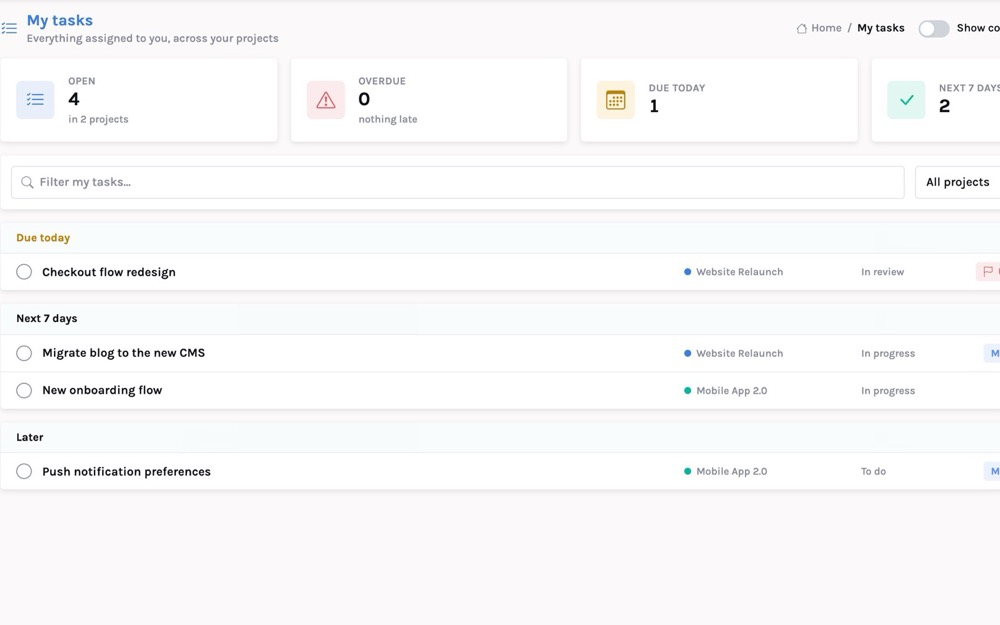
What’s on my plate? My tasks and the calendar for people on several projects
Boards answer “where is the project?”. People on two or three projects need a different question answered first: what do I have to do today? My tasks and the calendar are built for that.
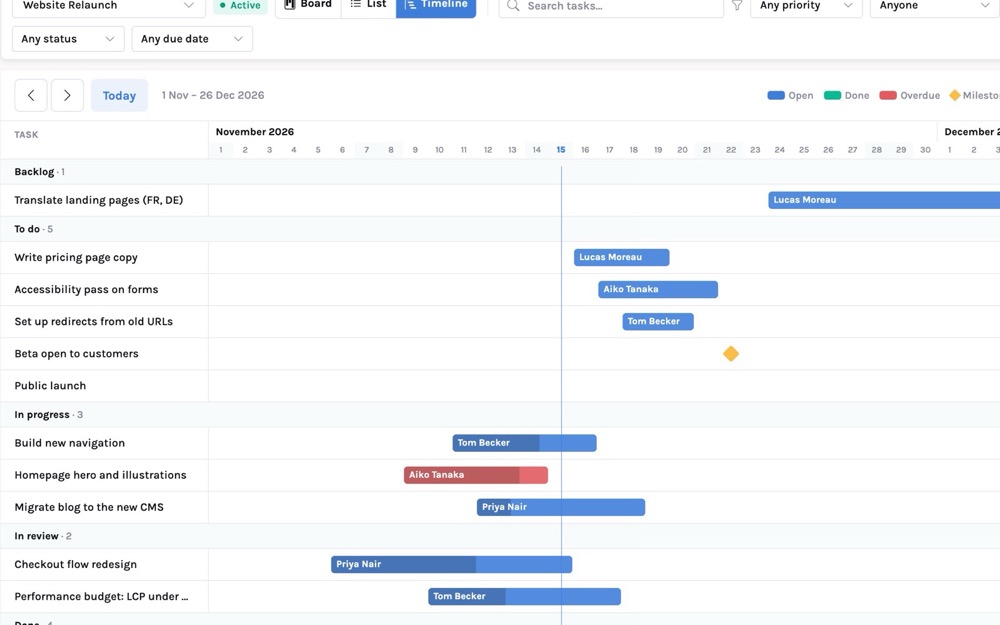
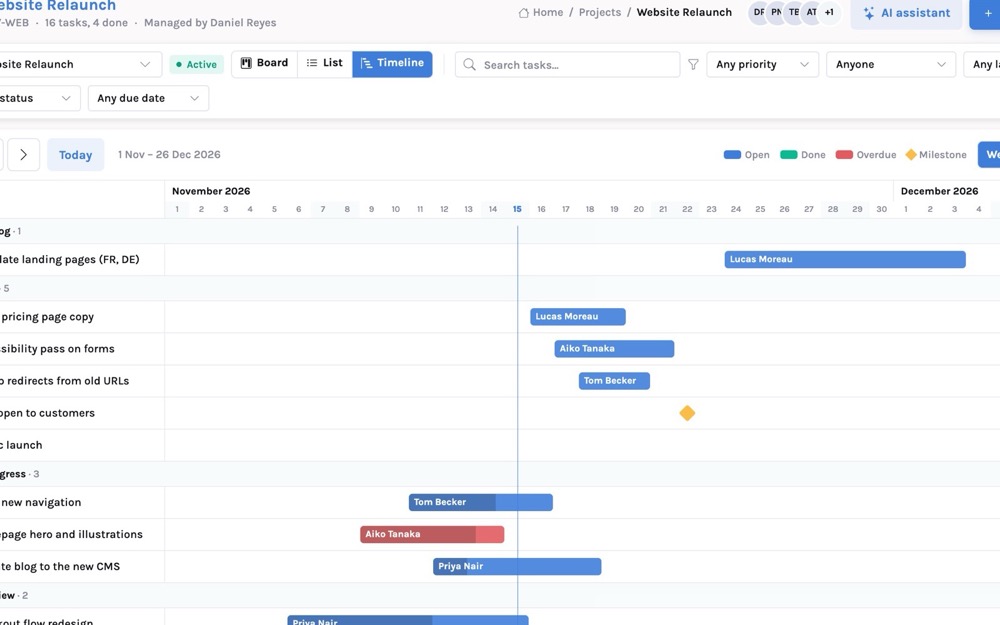
From due dates to a plan: using the timeline and milestones
A list of due dates is not a plan. Adding a start date to each task and marking the two dates the client cares about as milestones turns the same board into a timeline you can read in ten seconds.
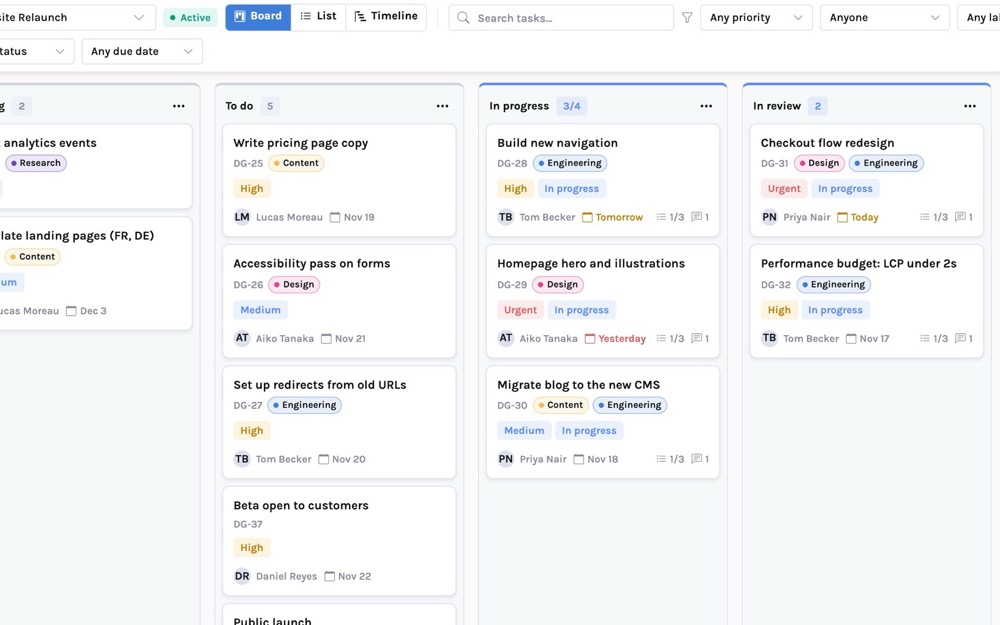
Running a client website relaunch on one board
A relaunch has design, content and engineering work, two dates the client cares about, and five people. Here is how that fits on a single DeliverGoals board, step by step, using the Northwind Studio demo workspace.