A project tool that people have to remember to open loses to the chat window that is already open. The fix is not to move the work into chat, but to let the important changes reach chat, and let quick requests come back from it. This post shows how Northwind Studio, the fictional studio in the demo workspace, connects DeliverGoals to Slack, Microsoft Teams and GitHub, brings its client in as a guest, and what keeps each connection safe.
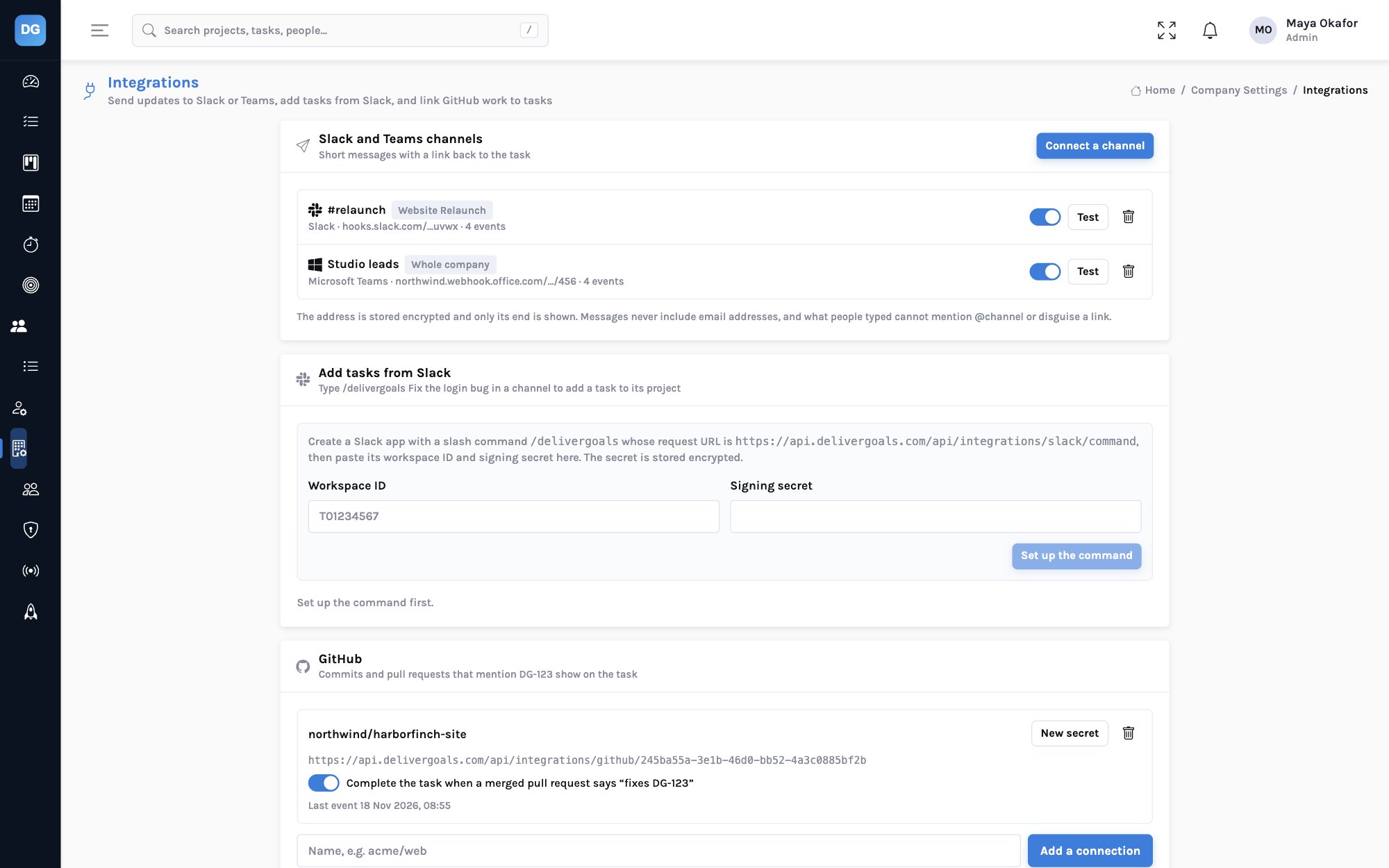
1. Slack and Teams channels
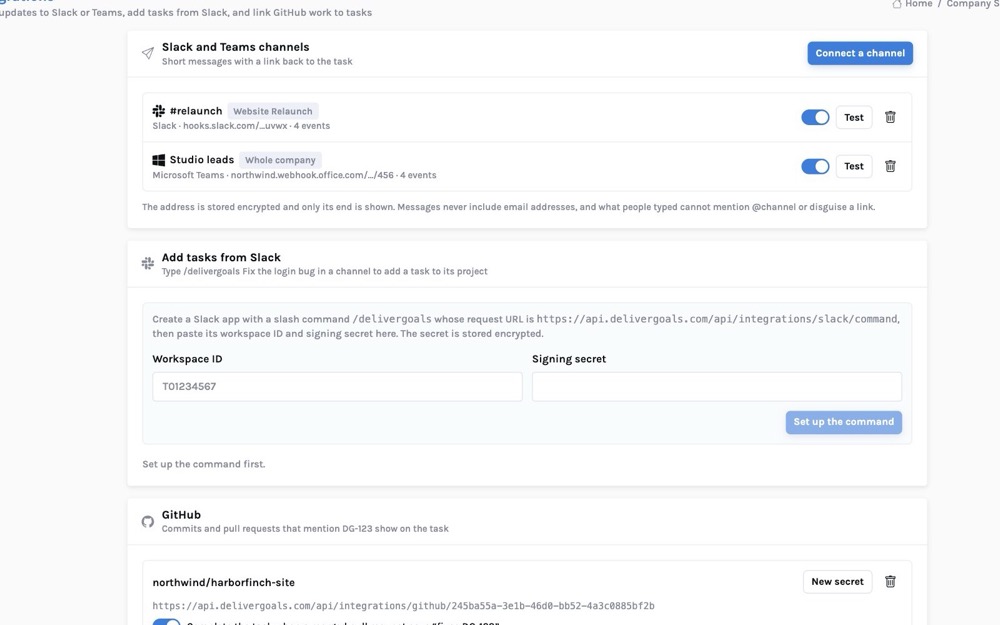
An admin connects a channel for the whole company, or a project manager connects one for their project, by pasting the channel’s incoming-webhook address and choosing events: a task created, assigned or completed, a comment, a goal check-in, a request from a form, and a morning digest of overdue work. Northwind has #relaunch in Slack for the Website Relaunch, and Studio leads in Teams for everything.
Each message is short, says what happened and links back to the task. What people typed is escaped: a task called “@channel please look” cannot ping the whole channel, and text cannot be dressed up as a link to somewhere else. Email addresses are never included. “Test” sends a sample message so you can see it arrive.
The channel address is a secret: anyone holding it can post to the channel. DeliverGoals stores it encrypted and shows only its end. Only real Slack and Teams addresses are accepted, and messages go out through the same guard as webhooks: secure connections to public addresses only. A channel that keeps failing is switched off automatically.
2. Add a task from Slack
Set up once by an admin, the /delivergoals command lets anyone in a mapped Slack channel type /delivergoals Fix the login bug. A task appears in the first column of the project mapped to that channel. Every request is checked against Slack’s signature with the workspace’s signing secret, stored encrypted, and anything older than five minutes is refused. The command is rate limited per workspace.
One honest detail: DeliverGoals does not look up who typed the command in Slack, so the task is attributed to the person who set up the connection, with the Slack user’s name in the description.
3. GitHub: code on the task
An admin adds a GitHub connection and gets a webhook address and a secret to paste into the repository’s settings. From then on, any commit or pull request that mentions a task’s code (DG-192) or a link to it appears on that task, in a Code section, with the repository, the title, the author and whether a pull request is open or merged. Each new link is also added to the task’s activity.
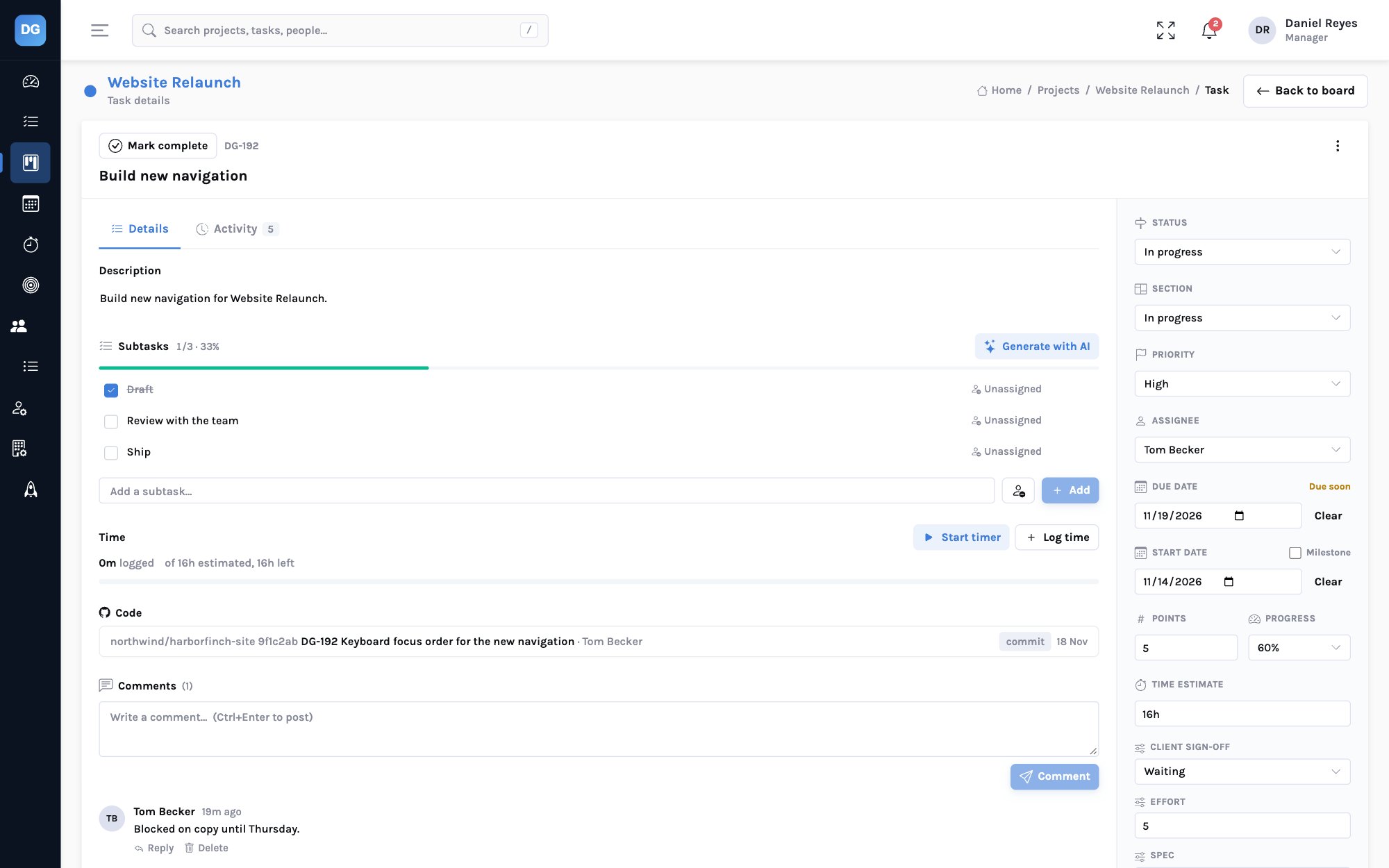
With the switch on, a merged pull request that says “fixes DG-192” (or closes, or resolves) completes the task. DeliverGoals never calls GitHub: it reads only what GitHub sends, checks every delivery’s signature, ignores anything it does not understand, and links only tasks in the connection’s own company.
4. Clients as guests
Harbor & Finch’s project lead, Olivia, wants to see the relaunch board, not a weekly summary. Daniel invites her from the project’s Members sheet as a guest. She signs up through her invitation link and sees only Website Relaunch.
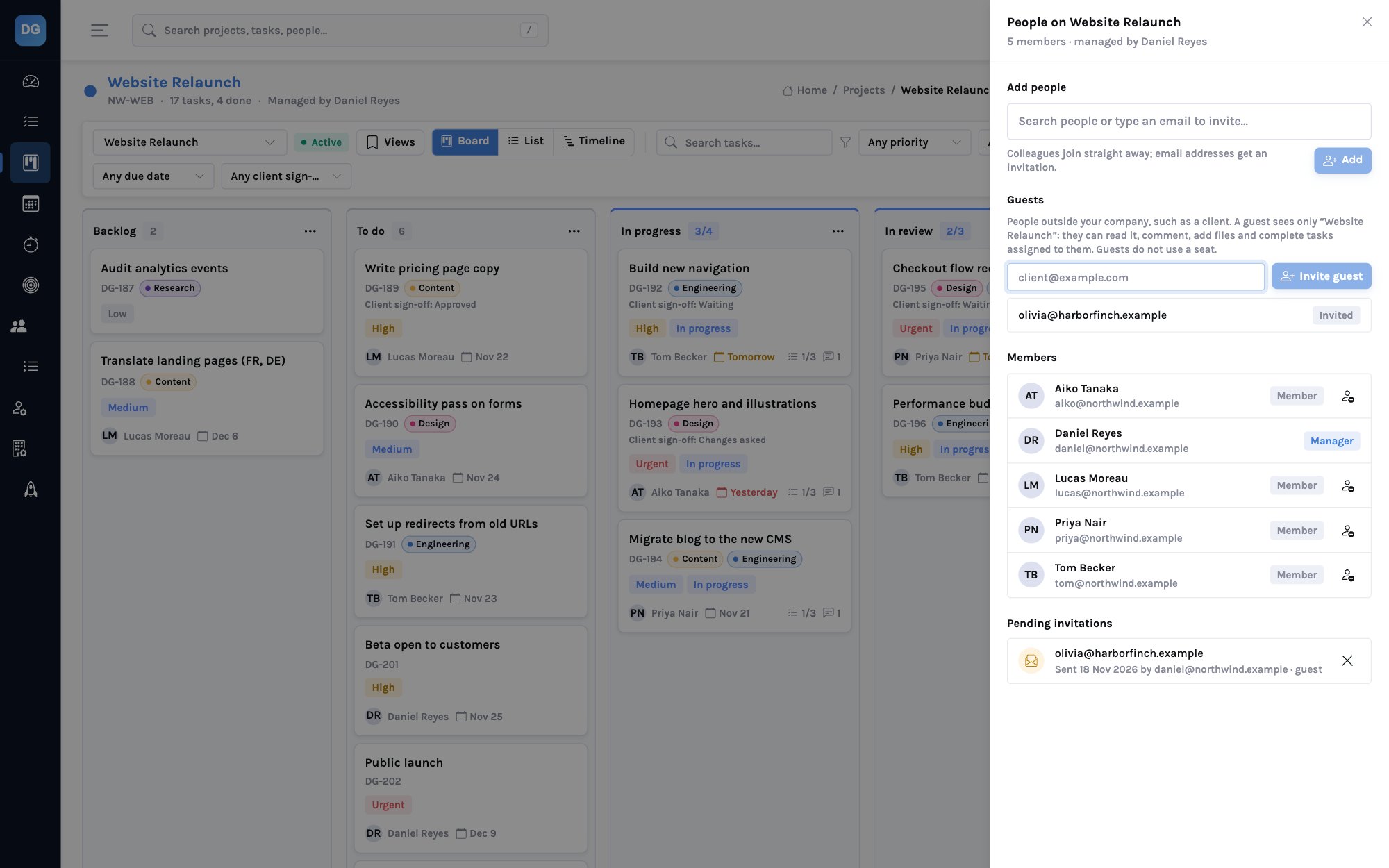
A guest can read the board, the list and the timeline, comment, add files, and complete tasks assigned to them. Everything else is refused by default: other projects, people outside the project, goals, reports, time, the team brief, search, settings, imports, AI. “By default” matters: a screen added to DeliverGoals next month is closed to guests until it is deliberately opened.
5. Boards that update while you look
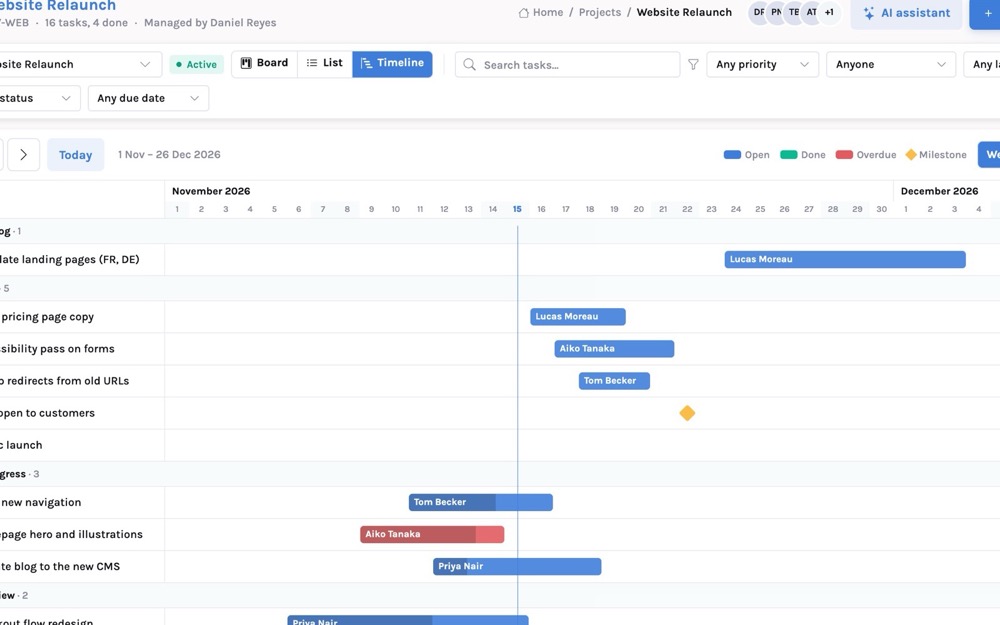
When Tom moves a card, Priya’s open board shows it about a second later, without a reload. The browser keeps one stream open per tab. Each event says only which project and task changed, never names or text, and the browser then fetches the new state through the normal API, which applies every access rule again. A person only hears about projects they can open.
What keeps each connection safe
| Connection | Protection |
|---|---|
| Slack and Teams channels | Only real Slack and Teams hosts; address stored encrypted; public addresses only; text escaped; no email addresses; switched off after repeated failures |
| Slack command | Slack signature checked with an encrypted signing secret; five-minute window; one company per Slack workspace; rate limited |
| GitHub | Signature checked on every delivery; nothing fetched from GitHub; only github.com links kept; only this company’s tasks |
| Guests | Only invited projects; every other screen refused by default, including new ones |
| Live updates | Events carry no content; filtered to projects the person can open, re-checked each minute; a few streams per person at most |
Where it stops
There is no GitLab or Bitbucket connection, no two-way sync with Slack, Teams or GitHub, and no Jira integration (Jira projects come in by import). The Slack command attributes tasks to the connection’s creator, not to the Slack user. Guests cannot create tasks. Live updates need the page open; they are not push notifications.
Connections are set up under Settings → Integrations by an admin. For the security background, see securing your workspace; for API keys and webhooks to build your own, the security page.