Most of what slows a project down is not hard work. It is small, repeated work that someone has to remember: copying a client’s email into a task, ticking a card complete after dragging it to Done, reminding someone that a task is due tomorrow, recreating last month’s board for this month’s client. Each one takes a minute. Together they take a morning a week, and they are exactly the things that get forgotten.
This post shows how Daniel Reyes, who manages the Website Relaunch for the client Harbor & Finch in the Northwind Studio demo workspace, hands that work to DeliverGoals. Northwind is fictional; every screen is the product as it runs today.
1. Requests arrive as tasks: request forms
Harbor & Finch used to send change requests by email, and Daniel copied them onto the board. Now the project has a request form: a public page with an unguessable link that Daniel shares with the client. He chose the title and introduction, which column requests land in (Backlog), their default priority, and which fields to ask for: details, the requester’s name and email, and an optional “needed by” date.
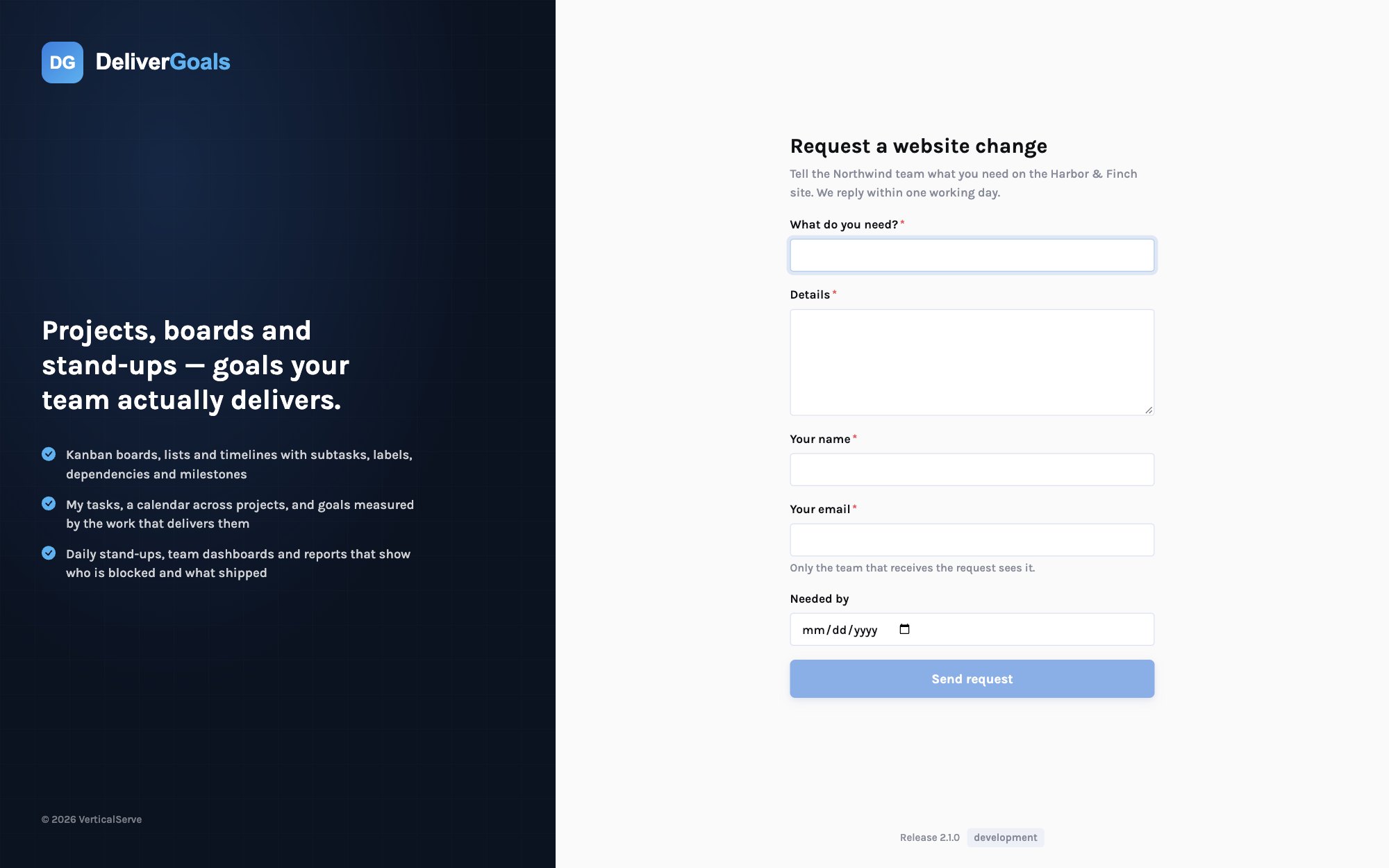
A submitted request becomes a task in Backlog, marked as coming from the form, with the requester’s name and email in its description. Daniel is notified. The form never creates an account, so a client cannot use it to get into the workspace.
Because the page is public, it is protected the way a sign-up page is. It shows Cloudflare’s human check when the service has one configured. Each address can submit a limited number of requests per hour, and each form has its own hourly cap. A hidden field that people never see catches scripts that fill in everything. Text is cleaned and cut to size. Daniel can pause a form, give it a new link, or set it to expire.
2. Cards move, and statuses follow: automation recipes
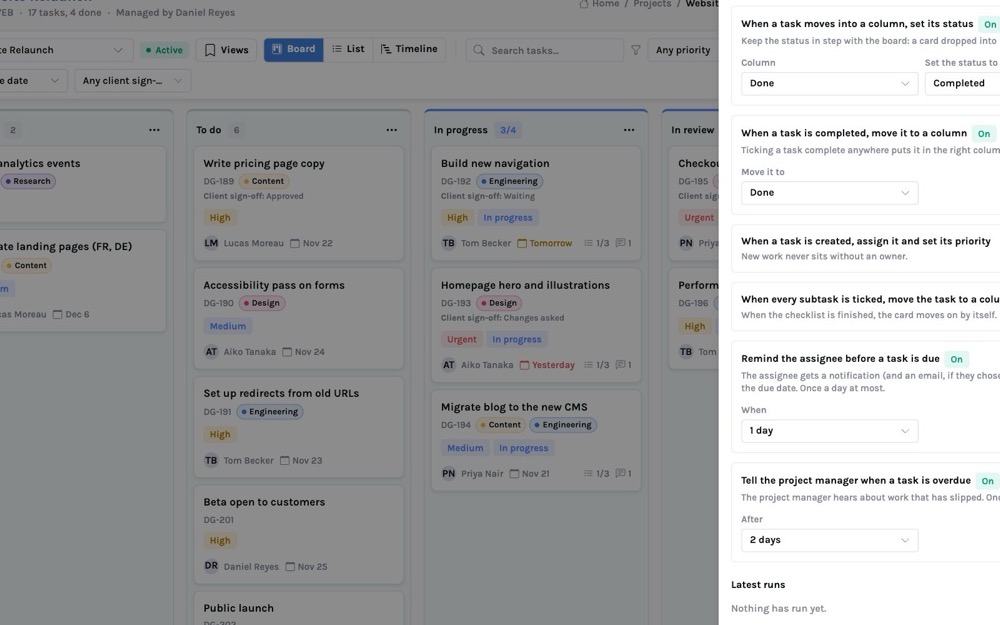
DeliverGoals does not have a rule builder. It has six recipes, each with a switch and one or two settings, chosen because they cover what most boards need:
| Recipe | What it does | Daniel’s setting |
|---|---|---|
| Moving sets the status | When a task moves into a column, set its status | Into Done → Completed |
| Completing moves the card | When a task is completed anywhere, move it to a column | Move to Done |
| New work gets an owner | When a task is created, assign it and set its priority | Off |
| Checklist done moves the card | When every subtask is ticked, move the task | Off |
| Due reminder | Remind the assignee before a task is due | 1 day before |
| Overdue alert | Tell the project manager when a task is overdue | After 2 days |
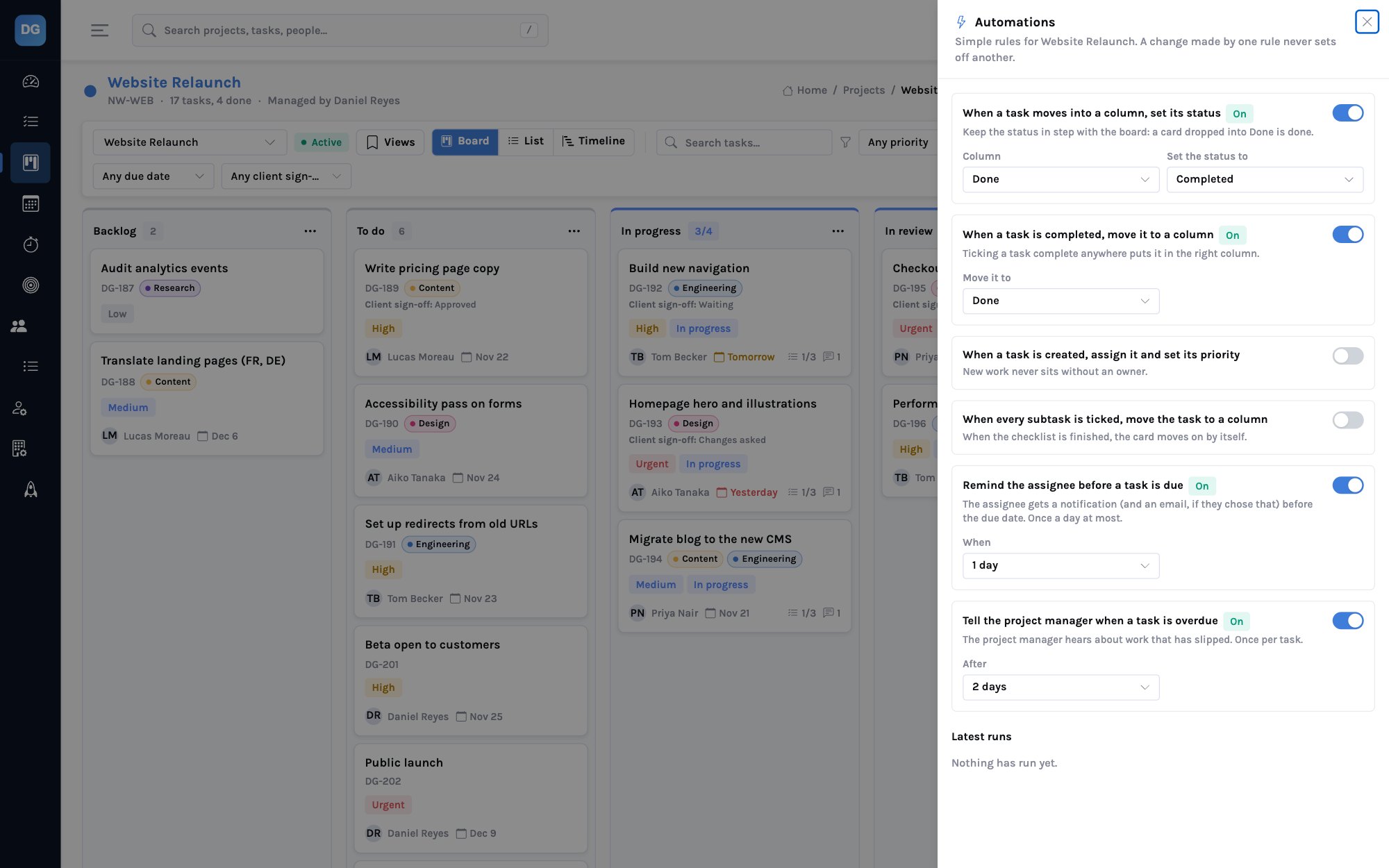
The first two make the board and the status agree: drag a card into Done and it is completed; tick “Mark complete” in the task panel and the card goes to Done. The reminder and the alert run once a day per task, so nobody is told twice. A reminder is an in-app notification, and it is also emailed if the person has switched that on.
Why recipes never chain
The most common failure of automation is a loop: a rule moves a card, the move triggers another rule, which changes the status, which triggers the first rule again. In DeliverGoals, a change made by a recipe never sets off another recipe. Every recipe’s change is written to the task’s activity history as made by Automation, and the sheet lists the latest runs, so anyone can see why a card moved.
3. The weekly note writes itself onto the board: recurring tasks
Every Friday Daniel sends Harbor & Finch a short status note. That is a recurring task: “Weekly status note to Harbor & Finch”, set to repeat weekly on Friday.
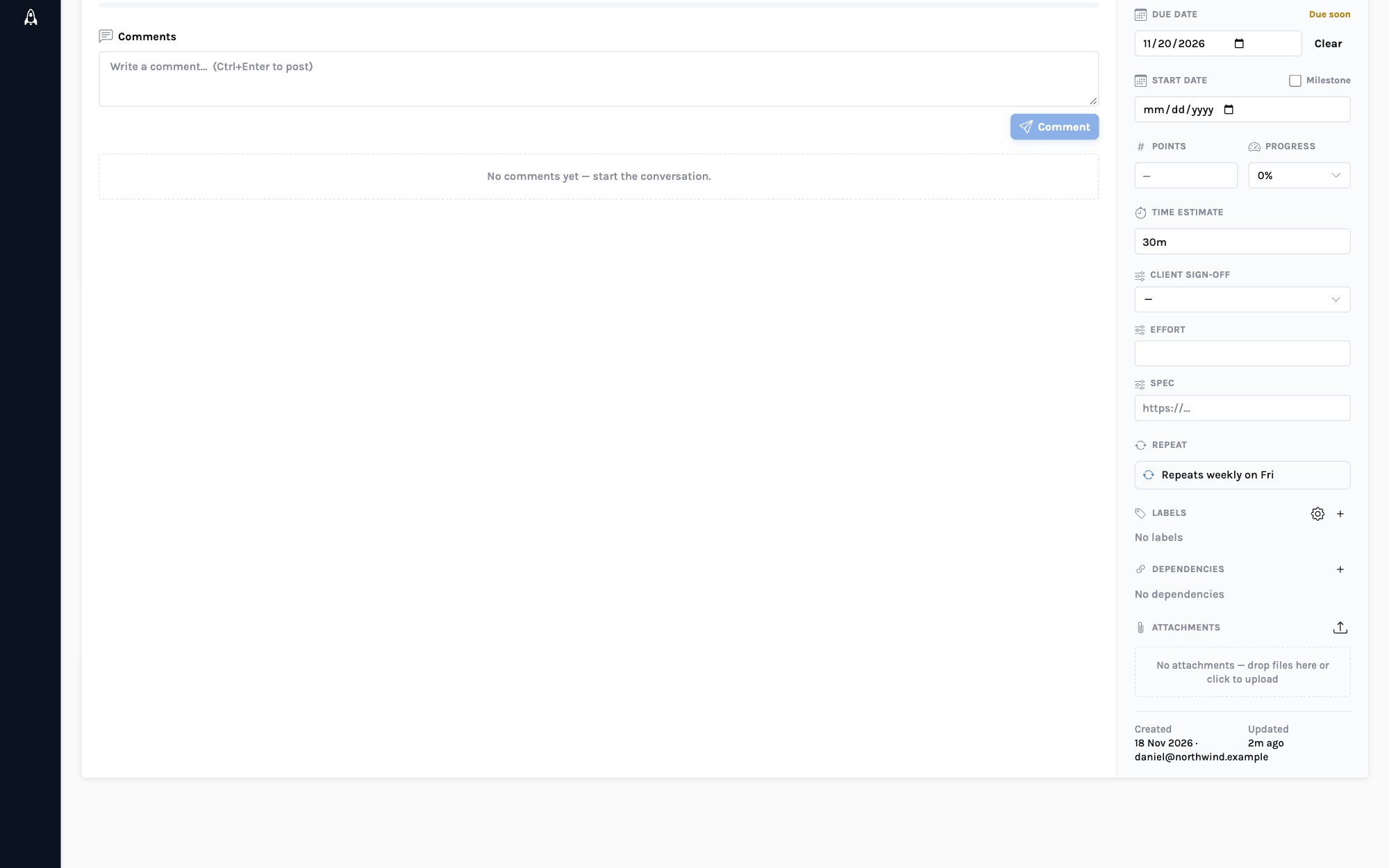
When Daniel completes this week’s note, next week’s appears in the first to-do column with the same owner, priority, labels, estimate and checklist (unticked), and a due date a week later. A task can repeat daily, weekly on chosen days, monthly on a day of the month, or every few days, and can stop on a date or after a number of times. Completing an old occurrence a second time never makes a duplicate.
4. Next month’s project in one click: templates
Northwind runs a website relaunch for a new client every few months, with the same columns and roughly the same forty tasks. Daniel saved Website Relaunch as a project template. It keeps the columns and the tasks, with their dates relative to the start, but no people and no completed dates. The next relaunch starts from it on the New project page, next to the built-in boards.
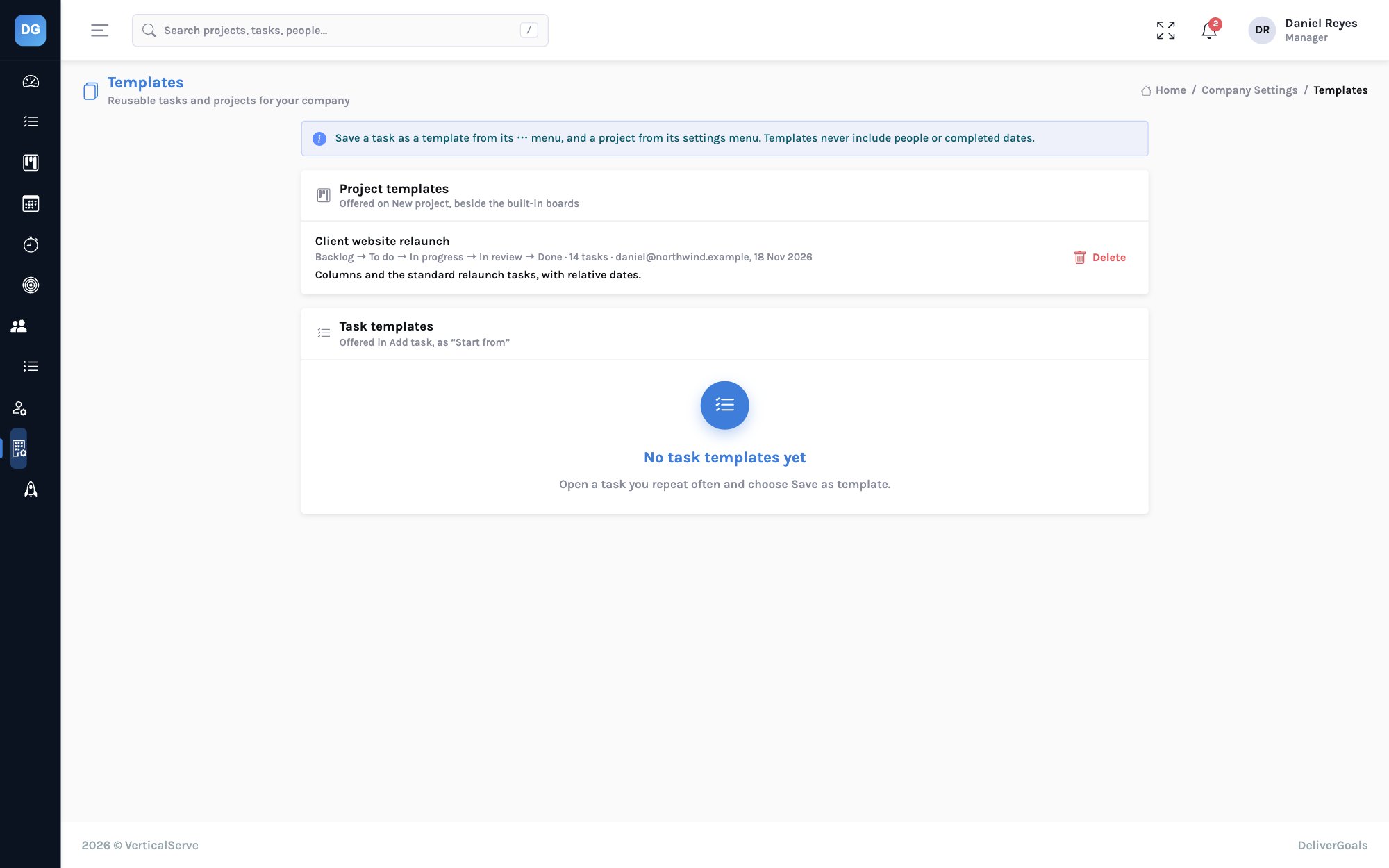
Single tasks work the same way: a task the team creates often (a pre-launch checklist, a client sign-off) can be saved as a task template and picked under “Start from” when adding a task. Managers and admins create templates; everyone in the company can use them.
- OnceSet up
Create the request form; switch on two or three recipes; make the weekly note repeat; save the project as a template.
- DailyRun
Requests arrive as tasks; reminders go out; statuses follow the board.
- MonthlyReuse
Start the next client’s project from the template.
Where it stops
There is no rule builder: only the six recipes, each per project, with no rules that span projects and no conditions beyond what each recipe offers. A recipe’s status change does not send the “completed” notification or webhook that a person’s does. Requesters get no confirmation email. Templates do not carry people, comments or attachments.
Each piece is small on its own. Together they remove the reminders a manager carries in their head. For the time those tasks take, see time tracking without timesheets; for who has room to take them on, plan capacity before you promise.