A spreadsheet is a perfectly good way to track work, up to a point. Everyone can open it, it has no learning curve, and you can add a column for anything. The point where it stops working is usually the same: two people edit the same row, nobody is sure who owns the third line, and the dates live in a column that no one looks at until they have passed.
If you are at that point, DeliverGoals can read the sheet as it is. Save it as CSV, upload it on the import page with Spreadsheet selected, and review what was read before anything is created. The same route works for most tools that can export a CSV, such as monday.com, ClickUp, Smartsheet or Notion; most tools can export one, so check yours. The examples use the Northwind Studio demo workspace, which is fictional.
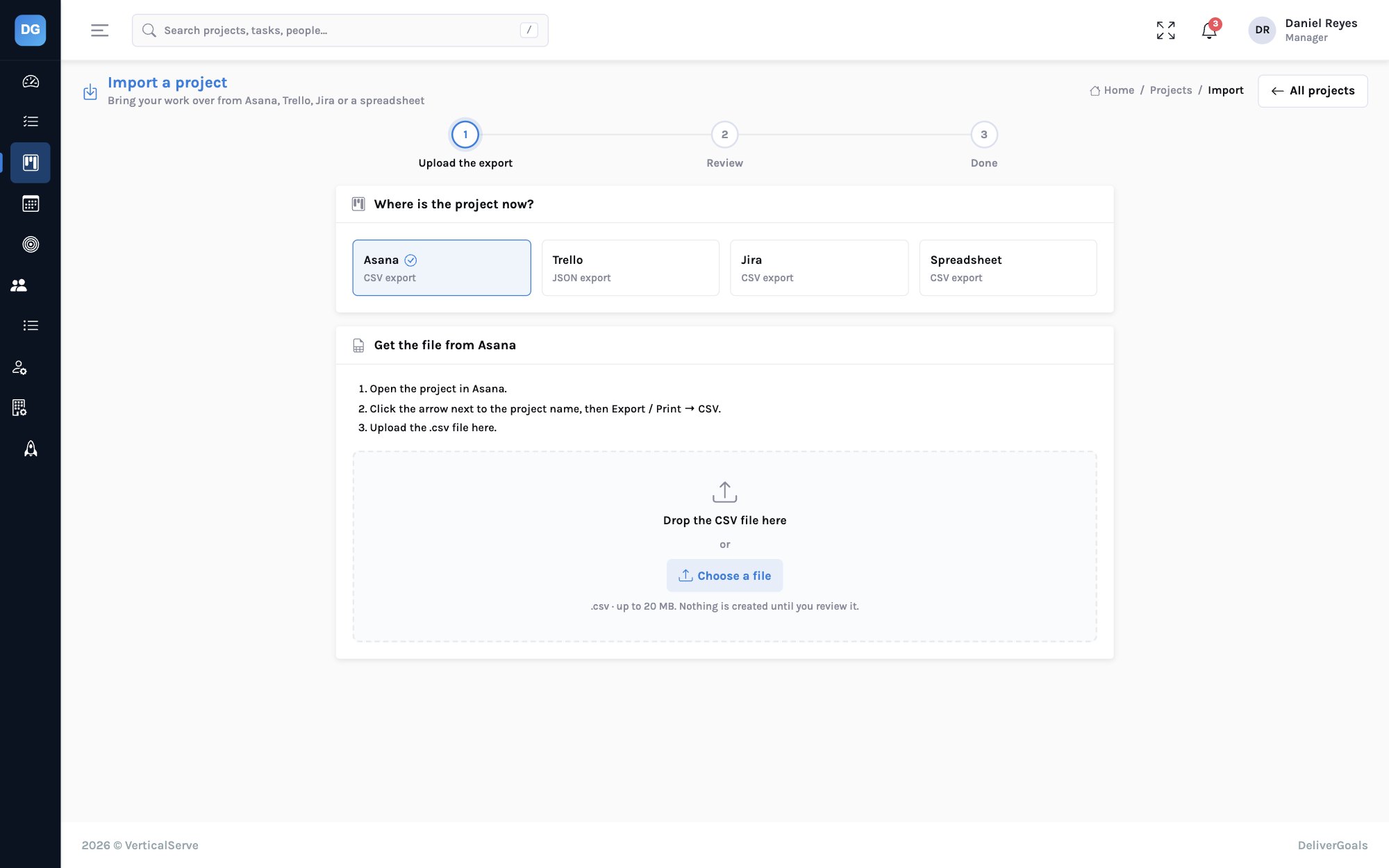
The columns it understands
Only one column is required: something that names the task. Everything else is used when it is there and ignored when it is not. Headers are matched without regard to case, and the first matching column wins.
| What it becomes | Header names it recognises | Notes |
|---|---|---|
| Task title (required) | Name, Title, Task, Task name, Summary, Item | Rows without a name are left out and counted |
| Board column | Status, Column, Section, List, Stage, Group, Bucket | Each distinct value becomes a column, ordered to do, then in progress, then done |
| Assignee | Assignee, Owner, Assigned to, Person, Responsible; plus Assignee email or Email | Matched to a colleague by email first, then by name when only one person has it |
| Start date | Start, Start date | 2026-12-01, 12/01/2026, 1 Dec 2026 and similar are all read |
| Due date | Due, Due date, Deadline, End date, Date | An impossible date is dropped, not guessed |
| Description | Description, Notes, Details | Kept as plain text |
| Priority | Priority | P0–P4, urgent, high, medium, low, critical, minor |
| Labels | Tags, Labels | Separated by commas or semicolons |
| Completed | Done, Completed, Completed at | yes, x, done, true, or a date |
| Story points | Points, Story points, Estimate | A number |
| Checklist item | Parent, Parent task | A row naming another row as parent joins that task’s checklist |
| Dependency | Blocked by, Depends on, Dependencies | By the other row’s ID or name; loops are dropped |
| Reference | ID, Task ID | Used for parents and dependencies |
The file can be separated by commas, semicolons (what Excel uses in much of Europe) or tabs; the header row decides. UTF-8 is expected, and a file saved by Excel in Windows-1252 is read too.
An example sheet
Here is a small event-planning sheet, the kind that lives in a shared drive. Note the mixed date formats and the half-empty columns; that is normal, and it imports.
| Task | Status | Owner | Due | Priority | Tags | Done |
|---|---|---|---|---|---|---|
| Order the booth | Planned | Maya Okafor | 2026-12-01 | P1 | events | |
| Print flyers | Planned | 12/05/2026 | events, print | |||
| Write the talk | In progress | Daniel Reyes | 3 Dec 2026 | high | events | |
| Book the venue | Complete | Priya Nair | 2026-11-01 | yes |
Uploaded, this becomes a project with three columns: Planned, In progress and Complete, which the importer recognises as a done column. Maya and Daniel get their tasks; the flyers have no owner and are left unassigned; “P1” and “high” both become High priority; the venue booking arrives completed.
What the board gives you that the sheet did not
It is fair to ask why move at all. A spreadsheet that works should be left alone. These are the things that change, in the order teams usually notice them.
Ownership is a name typed in a cell. Dates are text. “Status” is whatever someone last wrote. Nobody is told when a row changes.
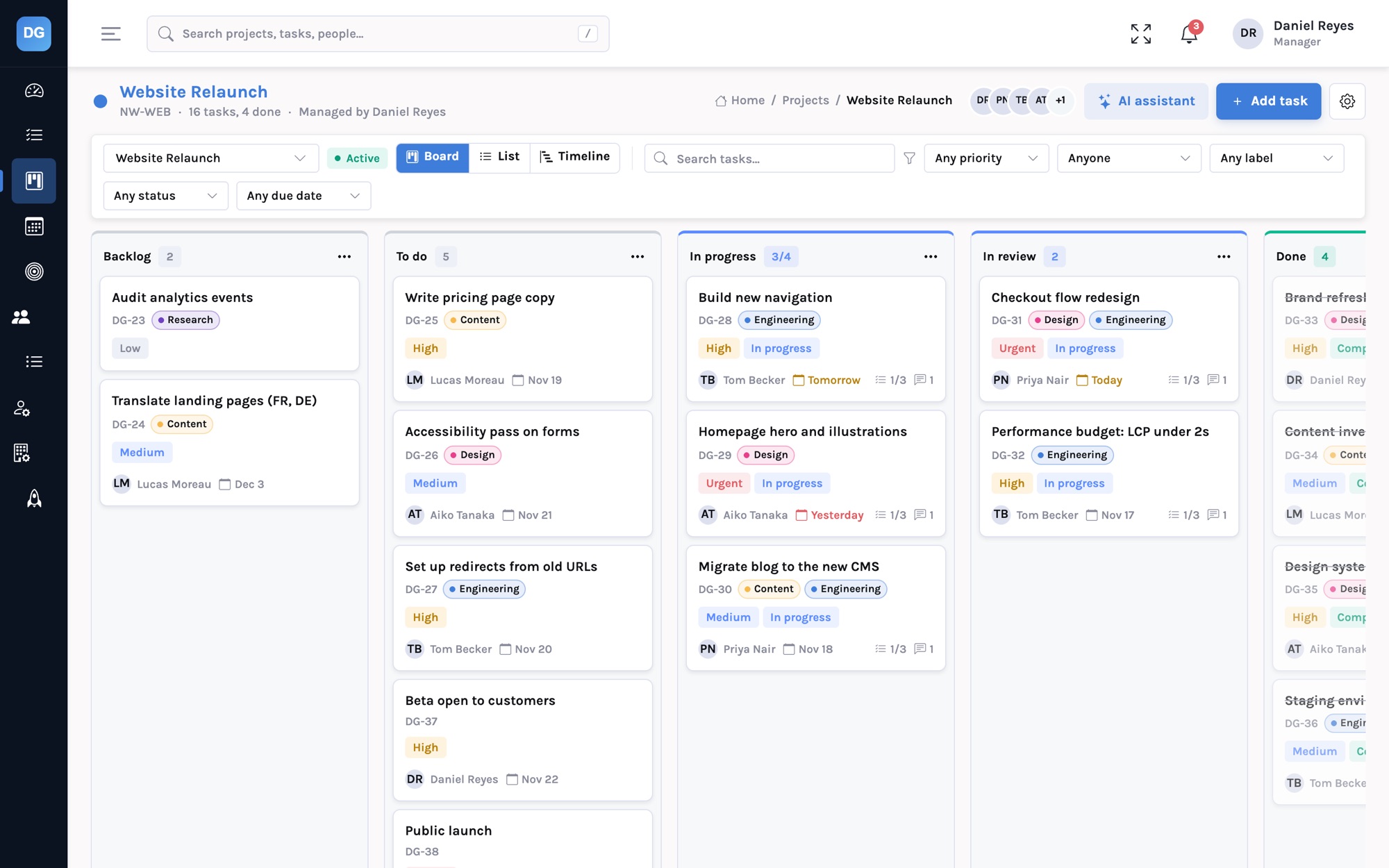
Each task has one assignee, who is notified in the app. Moving a card is the status. Due dates turn amber and then red, and every change is in the task’s history.
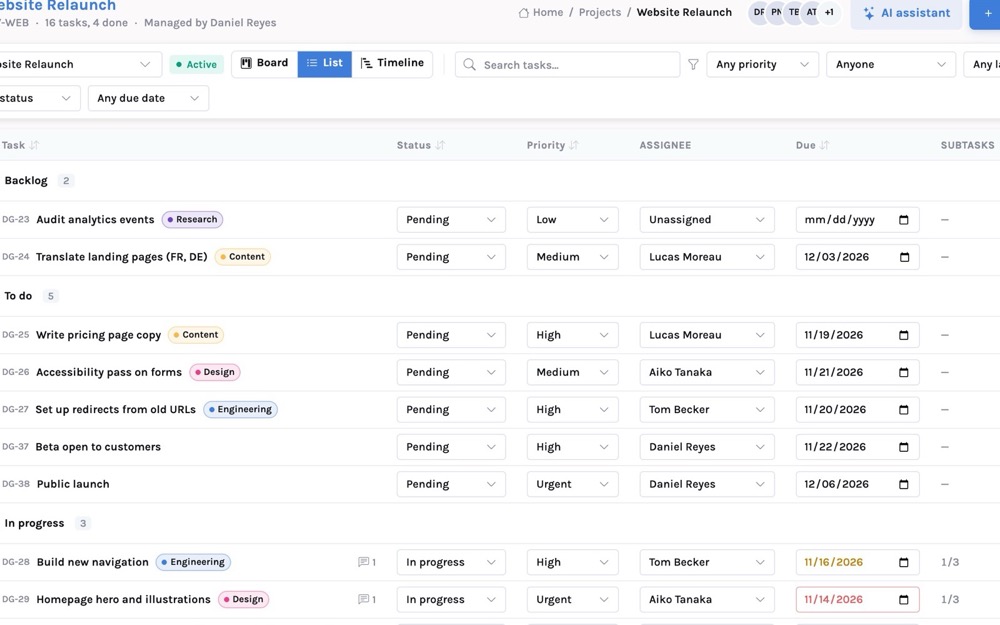
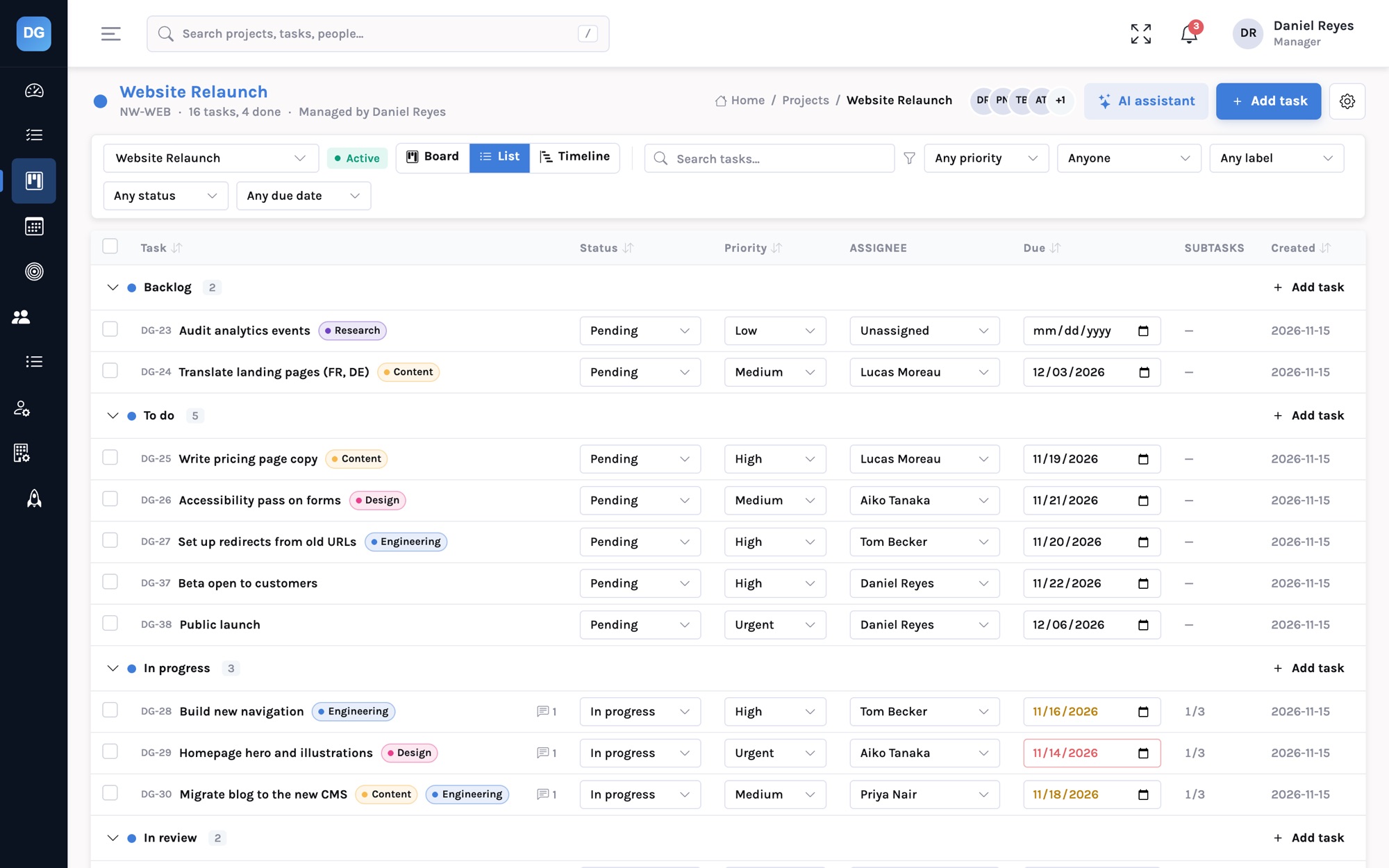
The list view is the closest thing to the sheet you left: rows grouped by column, with status, priority, owner and due date edited in place, and several rows changed at once.
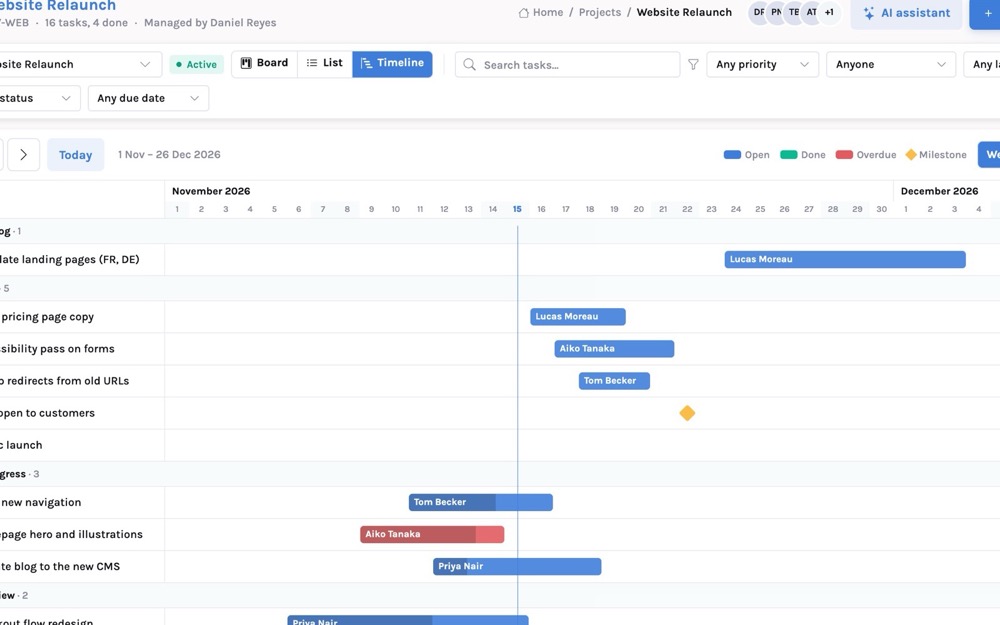
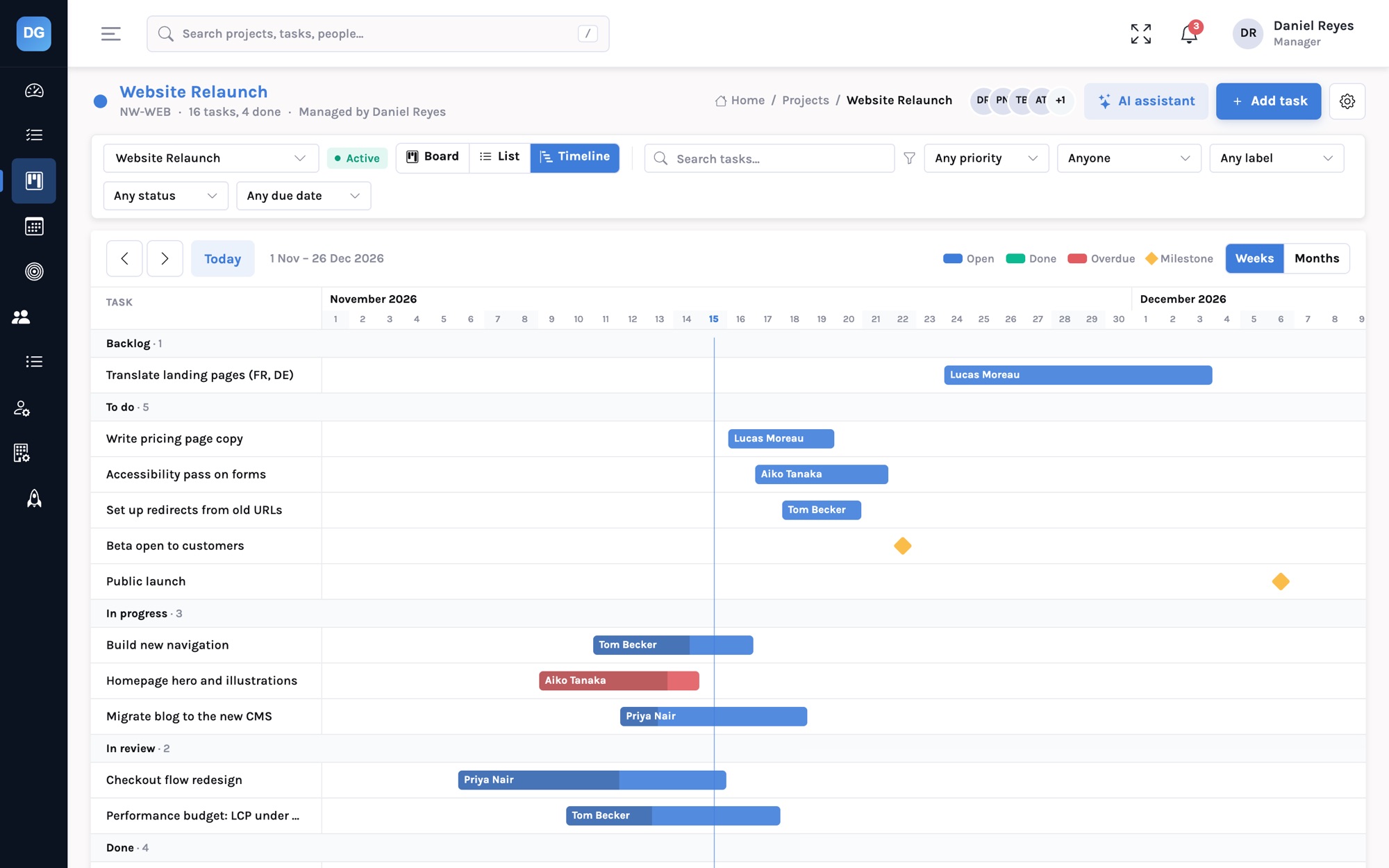
Start and due dates become bars on the timeline, which is where most spreadsheets fall short. A sheet can hold dates; it cannot show you that three of them overlap next week.
Beyond the board itself, the team gets a daily written stand-up, a calendar and My tasks across projects, goals linked to the projects that deliver them, and a manager’s brief of what is stuck. None of that needs anything from the sheet beyond what is above.
Formulas and other things a sheet can hold
A cell can contain a formula. The importer never evaluates anything: a cell beginning with “=” arrives as text, exactly as written. When tasks are later exported from DeliverGoals to CSV, any cell a spreadsheet would treat as a formula is prefixed with an apostrophe, so it opens as text again. Colours, comments in cells, merged cells and multiple tabs are not read; export the one tab that holds the tasks.
Where it stops
It is a one-time import of one file, up to 20 MB and 5,000 tasks; changes made in the sheet afterwards do not follow. Custom columns beyond the ones above are not kept. People in the sheet are never invited or created: invite them first, and the importer matches them by email.
Shaping the sheet before you export
- One row per task. Remove header blocks, totals and blank separator rows.
- A status column with few values. Five or six distinct values become five or six columns; forty become forty.
- Owner emails if you have them. Matching by email is exact; matching by name works only when one colleague has that name.
- Real dates. “End of month” will be dropped; 2026-11-30 will not.
For a whole team’s move, including the order to do things in, see switching project tools in a week. The importer is described on Import & migration.