Most project tools are good at one stage of a project. Some are good at planning and poor at the daily grind; others are a fine to-do list with no way to tell whether the work adds up to anything. The cycle is the point: you start, plan, staff and run the work, then you find what is stuck, check it against what the company is aiming for, review the week and close it out. The next project starts with what you learned.
This guide follows that cycle end to end in DeliverGoals, one stage at a time, naming the screen each stage happens on. The examples come from the Northwind Studio demo workspace, a fictional studio of seven people: Maya Okafor (admin), Daniel Reyes and Sofia Rossi (managers), and Priya Nair, Aiko Tanaka, Tom Becker and Lucas Moreau (members). Daniel runs Website Relaunch for the fictional client Harbor & Finch, and has just brought Brand Refresh 2027 over from Asana.
The cycle at a glance
| Stage | Screen | Who | How often |
|---|---|---|---|
| 1 Start | New project, Import, or Plan with AI | Manager | Once per project |
| 2 Plan | Board, list and timeline | Manager | Once, then as the plan changes |
| 3 Staff | Project members; task assignee | Manager (admin invites people) | Once, then as people change |
| 4 Run the day | My tasks, board, task panel, stand-up | Everyone | Daily |
| 5 Unblock | Team brief and its Needs attention list | Manager | Daily, five minutes |
| 6 Measure | Goals, key results, forecasts, check-ins | Goal owners | Weekly |
| 7 Review | Team dashboard, reports, activity log | Manager | Weekly, twenty minutes |
| 8 Close | Project status, list export | Manager | Once |
1. Start: four ways to begin a project
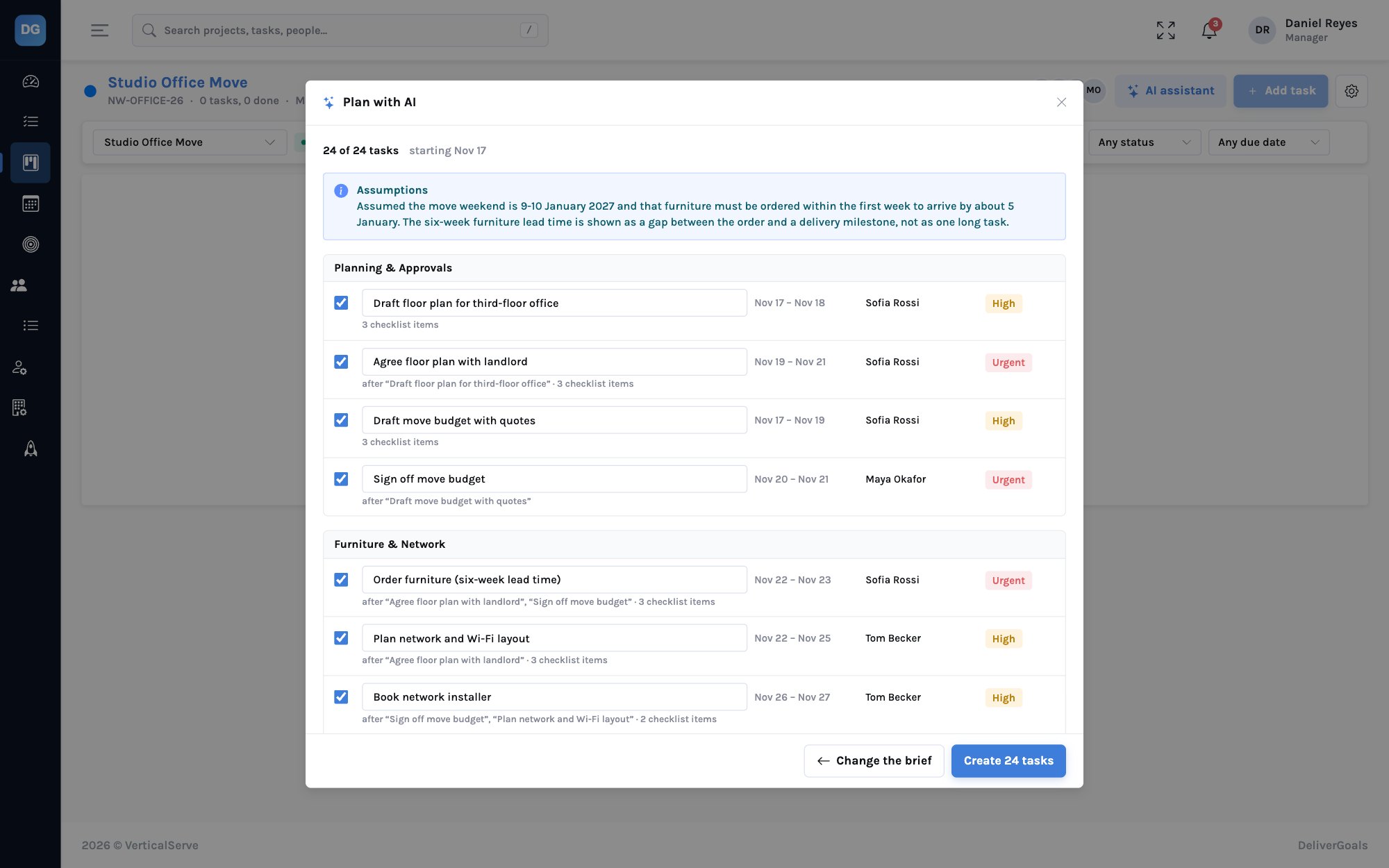
A project in DeliverGoals has a name, a code, a colour, a manager, a client or “Internal”, and members. How its board fills up depends on where the work is coming from.
- From nothing. New project, then a basic board (To do, In progress, Review, Done), a blank board, one of the built-in templates, or a project template your company saved from an earlier project.
- From another tool. Import an Asana or Jira CSV, a Trello board’s JSON, or any task spreadsheet. You review everything before it is created.
- From a brief. Describe the project in a few sentences and let Plan with AI draft the columns, tasks, dates, owners and dependencies. Again, you review first.
- From another project. Import into an existing project you manage; columns with the same name are reused.
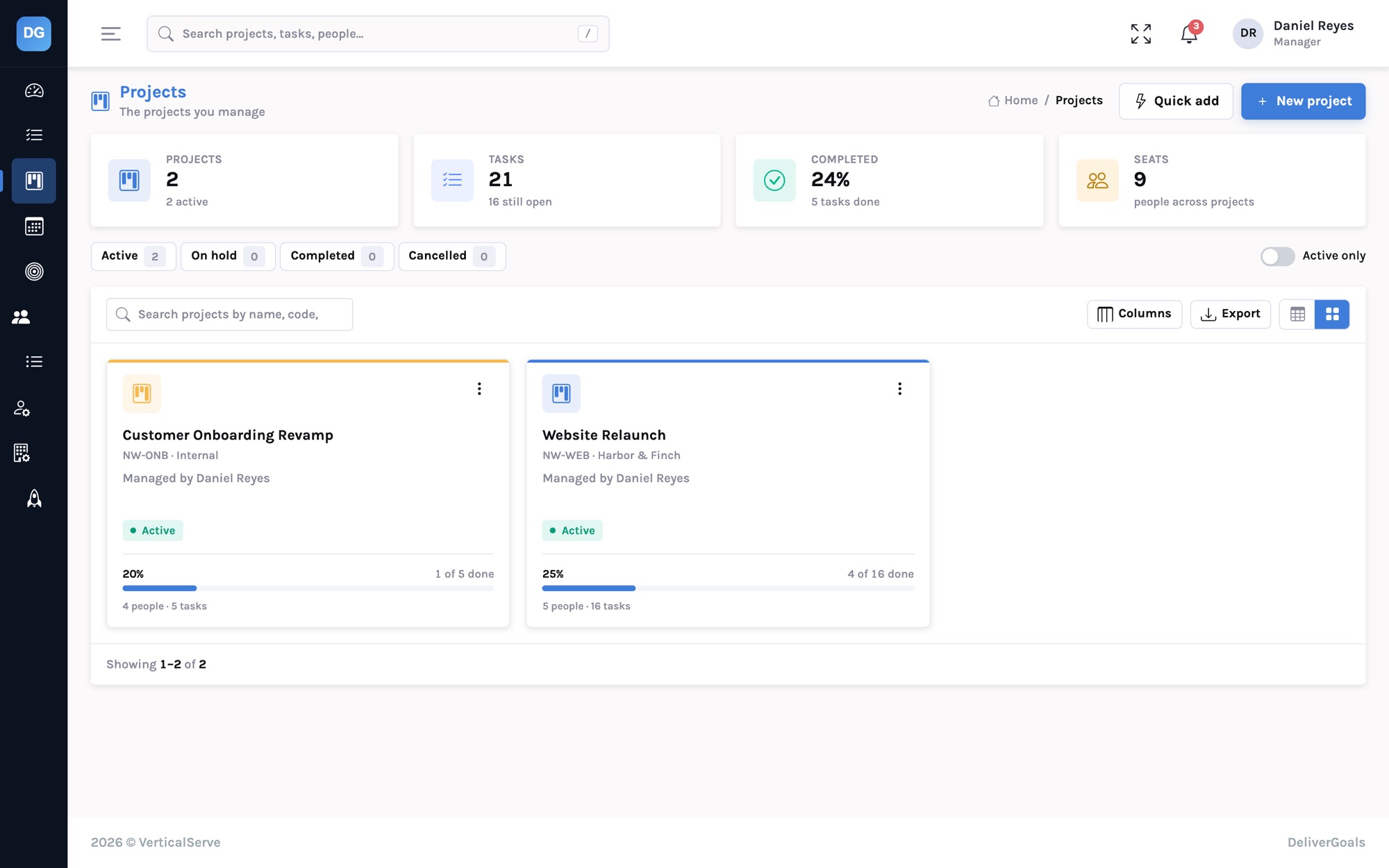
Daniel’s Brand Refresh project lived in Asana. He exported it as CSV and imported it: 14 tasks, five columns, six checklist items, fourteen dependencies and seven labels. Seven of the eight people in the file matched colleagues by email; the eighth, an outside freelancer, was left unassigned on purpose.
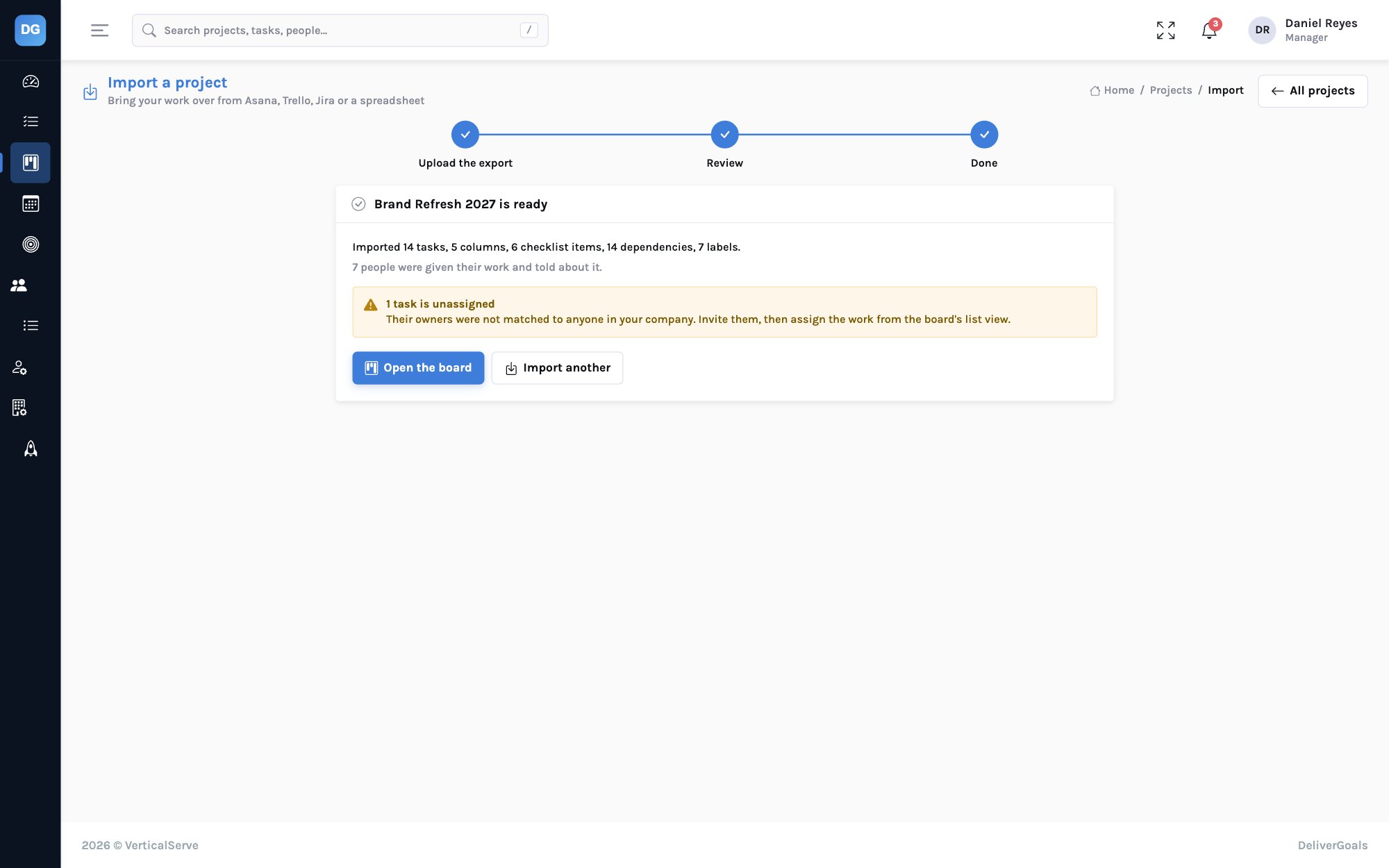
For a project with no history anywhere, Plan with AI is the quicker start. The draft is a proposal: untick what you do not want, rename tasks, then create.
The detail on both routes is on Import & migration and the AI page.
2. Plan: columns, dates, milestones, dependencies
The board’s columns are the stages work passes through. Keep them few and named for what happens in them: Website Relaunch uses Backlog, To do, In progress, In review and Done. Each task can carry a start date and a due date, a priority, labels and story points; a task with nothing to do of its own but a date that matters is a milestone.
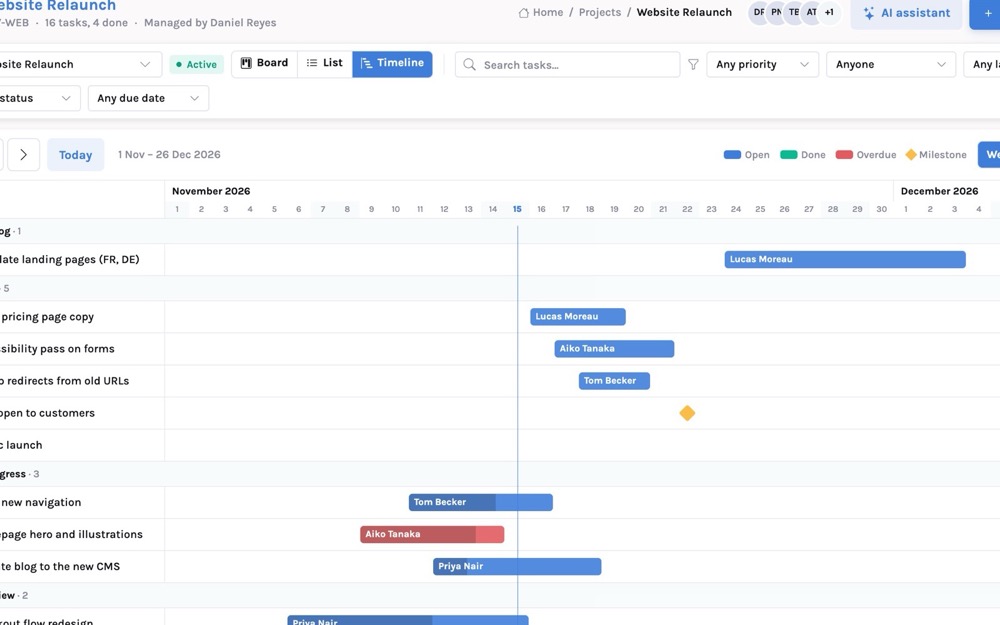
Dependencies are where the plan becomes a plan. When “Checkout flow redesign” blocks “Beta open to customers”, the beta cannot honestly be on time if the redesign is not. The timeline shows the whole thing at once:
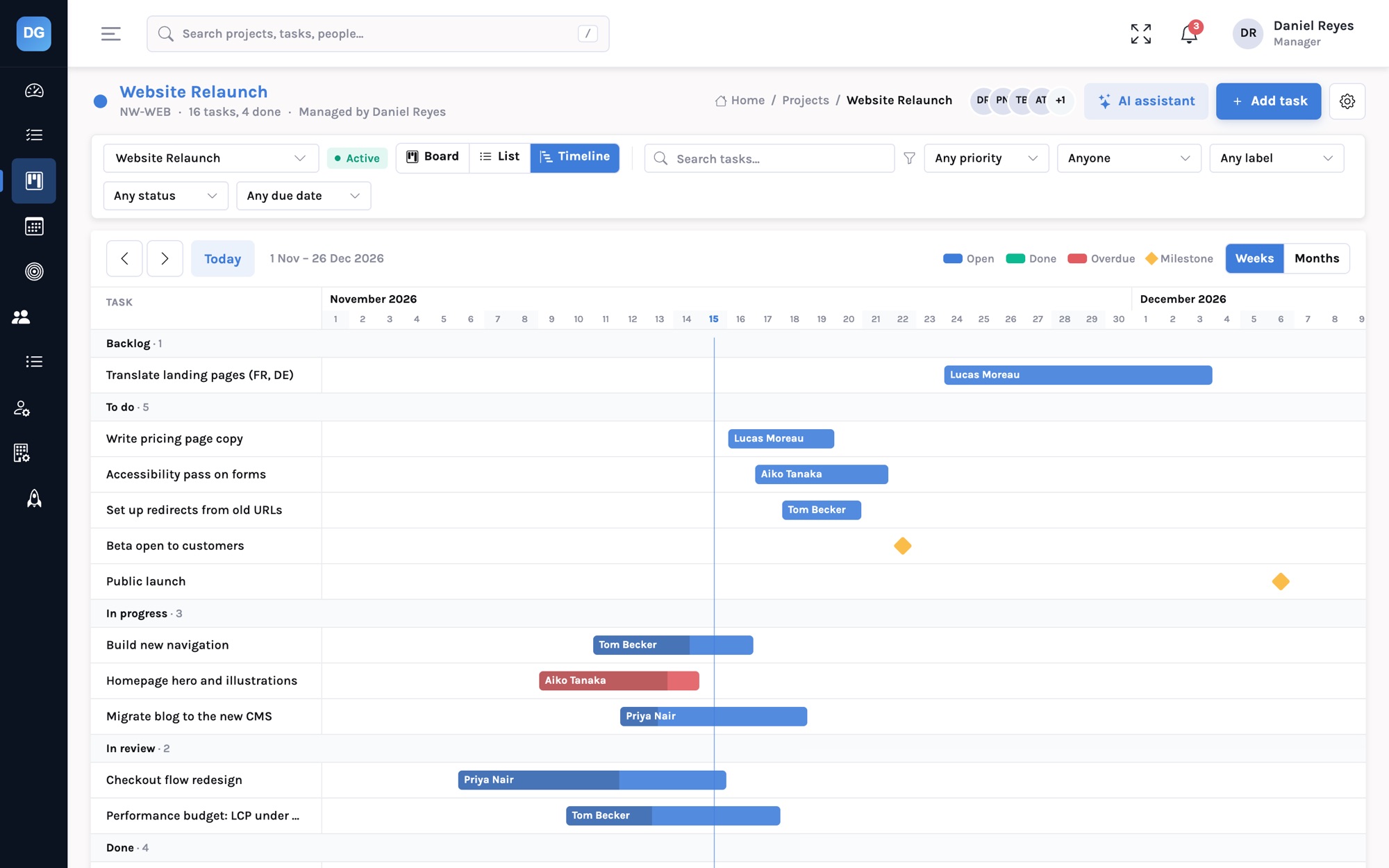
Read the timeline for two things: bars that run past a milestone they feed, and weeks where one person has three bars stacked. Both are cheaper to fix now than in week four. See Boards, lists & tasks, Timeline, calendar & My tasks and from due dates to a plan.
3. Staff: members, roles and owners
Every person has a role in the company (admin, manager or member) and is added to the projects they work on. Membership decides what they can open: a member of Website Relaunch does not see the board of a project they are not on. Admins invite people by email; each invitation is a personal link. The details are on People & security.
Then each task gets one owner. One, not “the design team”: a task with two owners is a task with none. When Daniel assigns a task, the owner is told in the app.
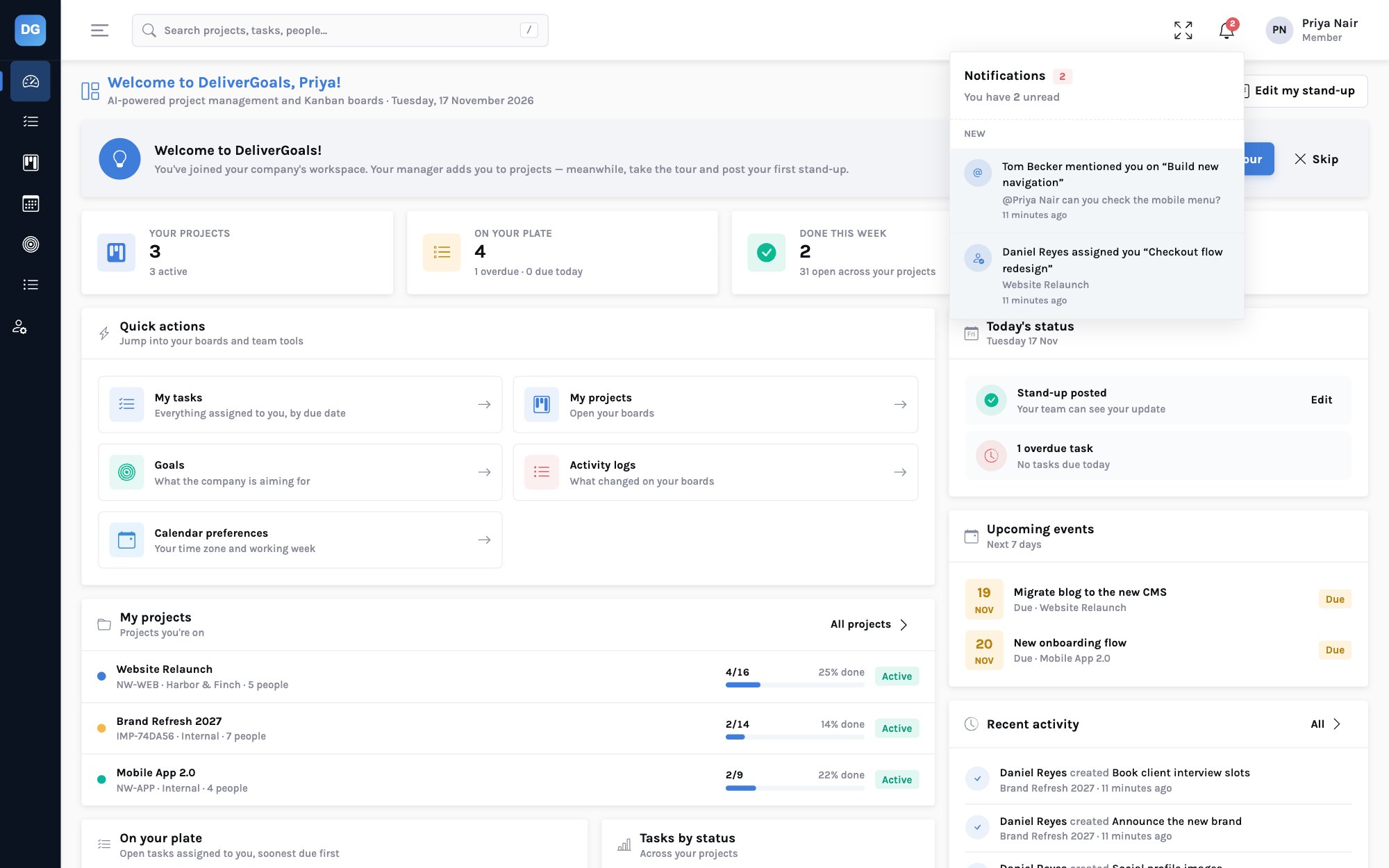
4. Run the day: My tasks, the board, the task, the stand-up
Most of a project’s life is this stage, and most of it belongs to the people doing the work rather than the manager. A member’s day has three screens.
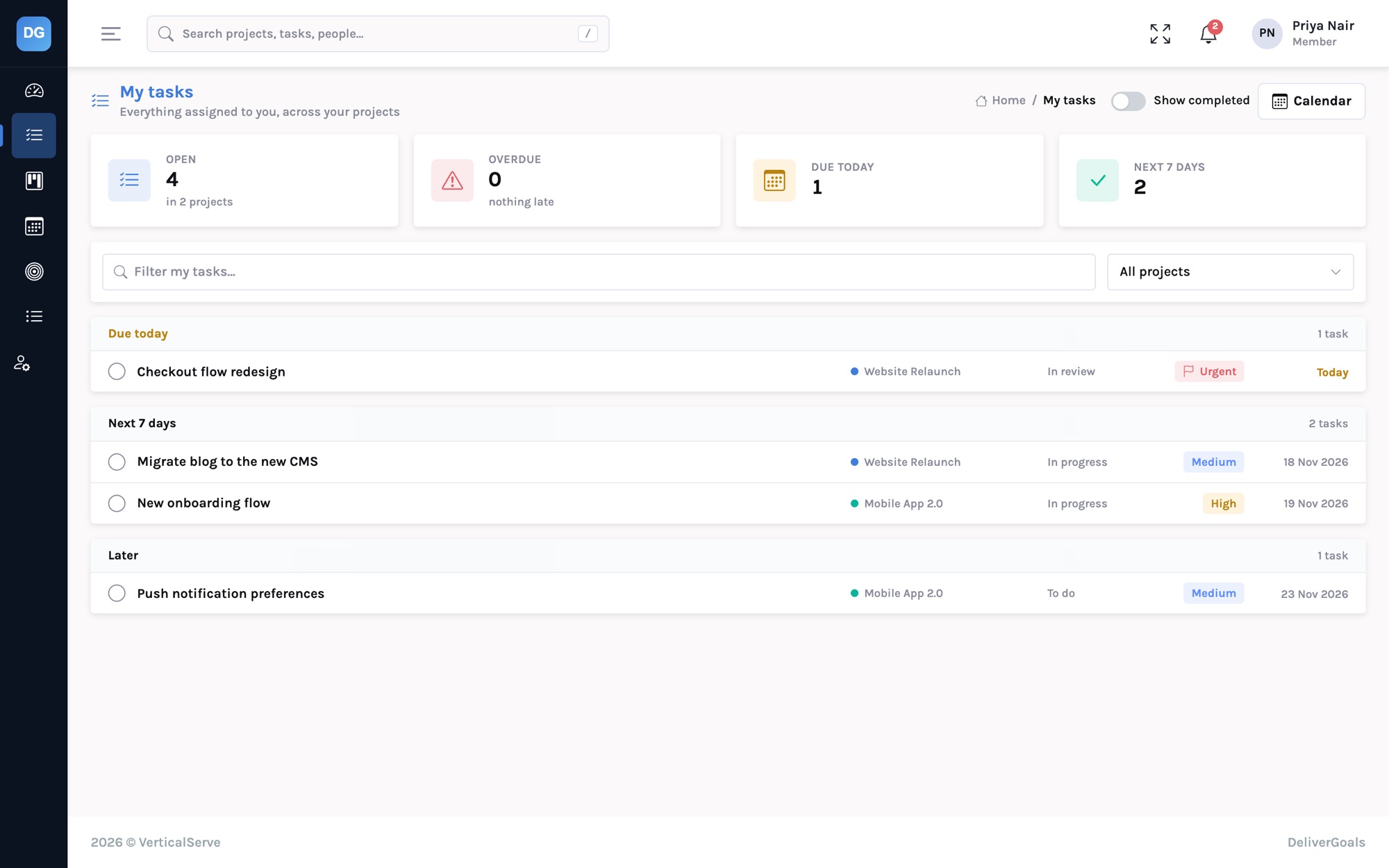
My tasks
One person’s work across every project, sorted by urgency rather than by project: overdue, due today, the next seven days, later. Ticking the circle completes a task without opening its board.
The task itself
Detail lives on the task, not in chat: the description, a checklist of subtasks (or Generate with AI for a first draft of one), comments with @mentions, attachments, what it blocks, and the history of every change.
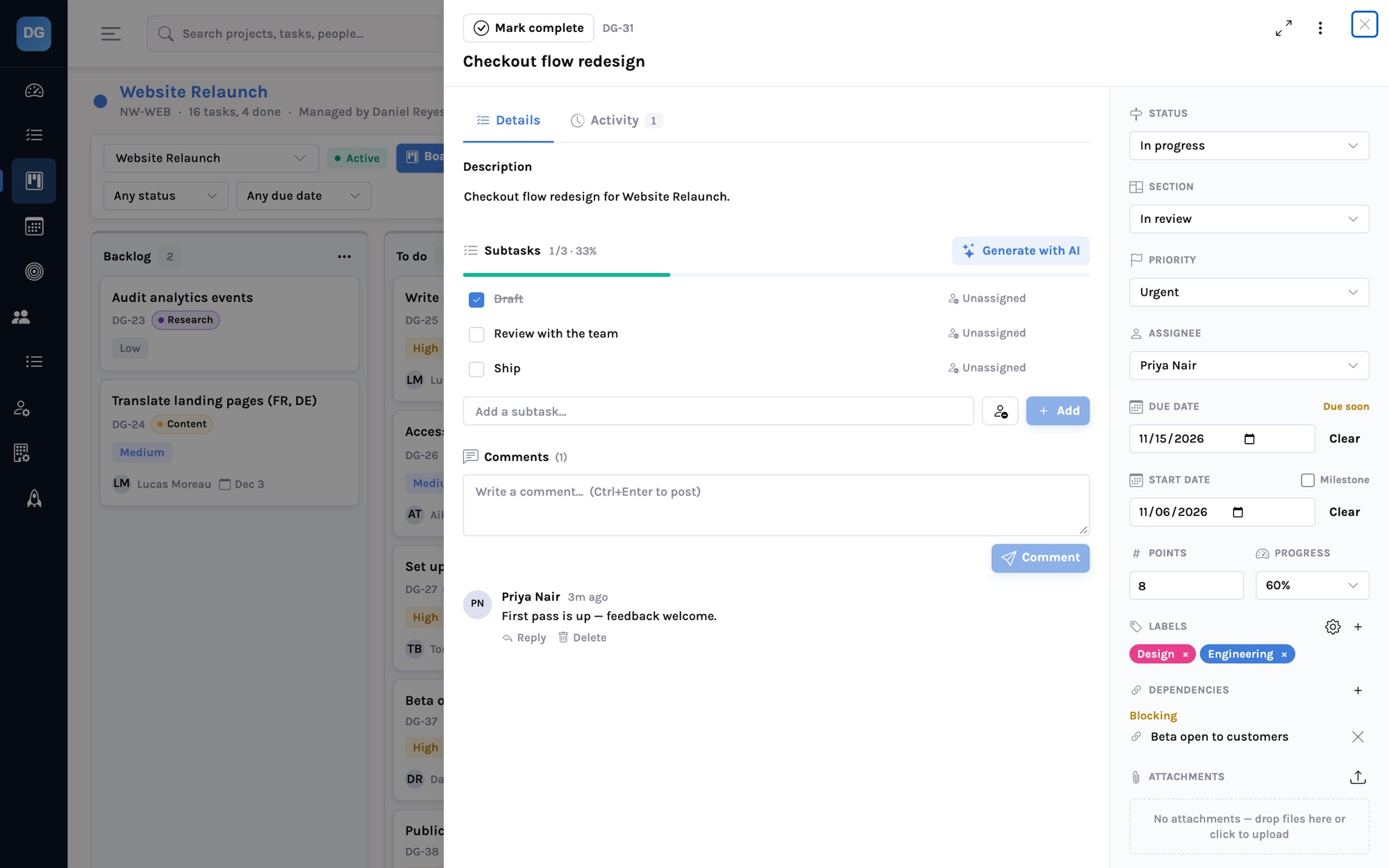
The full journey of one task, from quick add to Done, is in the life of a task.
The stand-up
Each person writes three lines when their day starts: yesterday, today, and what is in the way. The manager reads them on one board instead of holding a call.
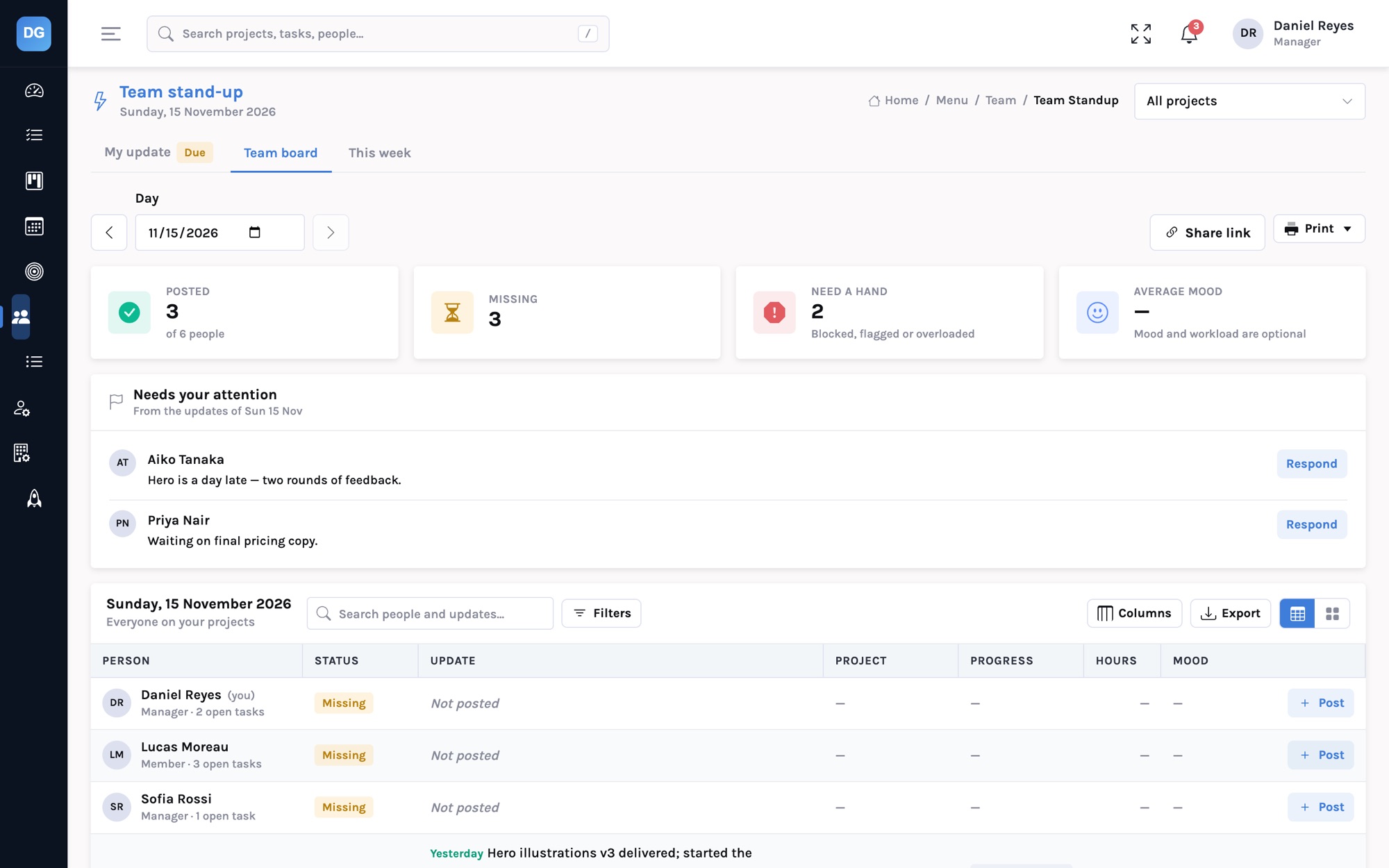
How to run it well is in the ten-minute daily stand-up.
5. Unblock: the team brief
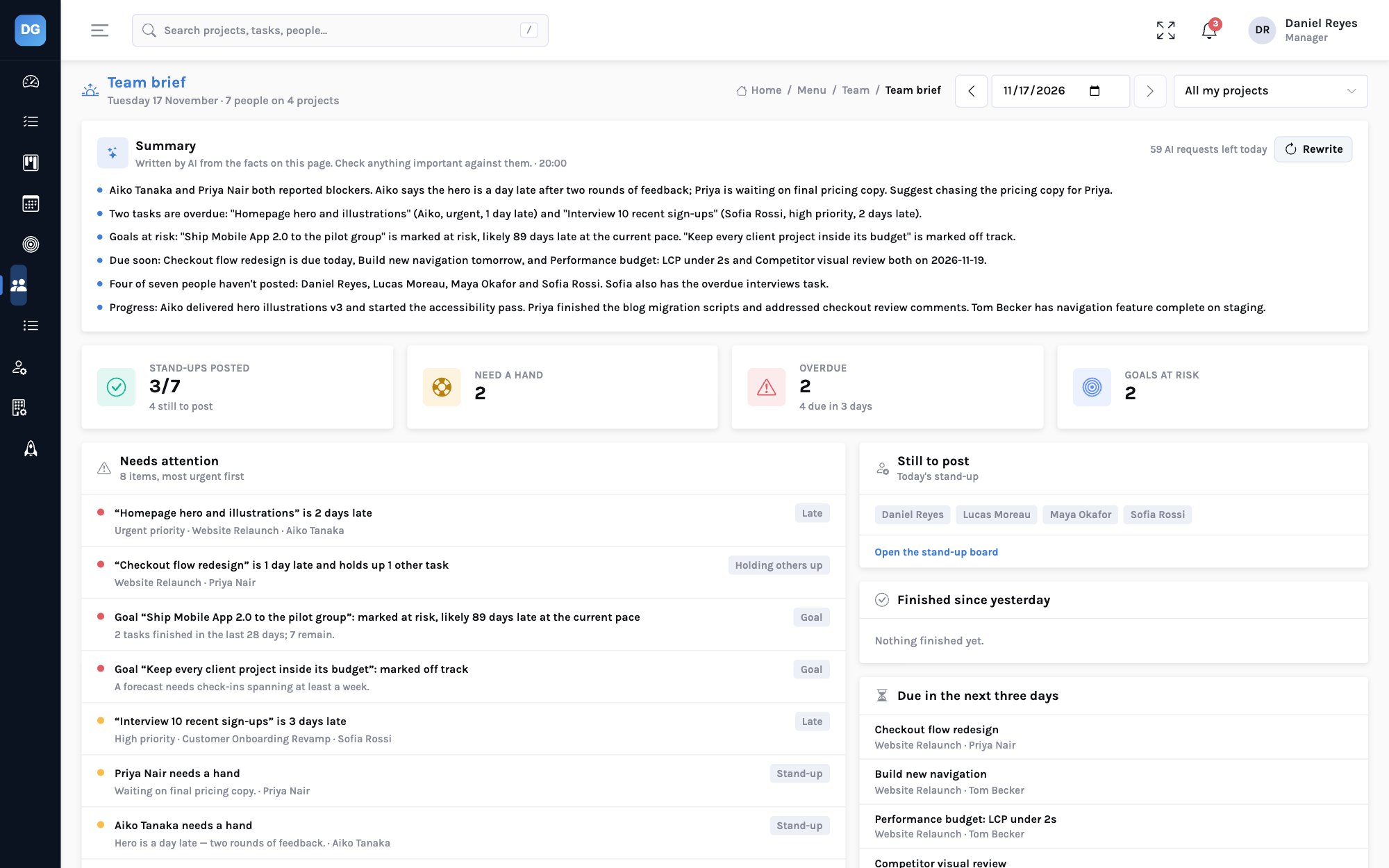
A manager’s job in stage 4 is mostly to stay out of the way. Stage 5 is where they earn their keep: find what is stuck and move it, every morning, in a few minutes. The Team brief puts the day on one page: who has posted, who is missing, who needs a hand, what finished, what is late, what is due soon, and which goals are heading for a miss.
Underneath, Needs attention ranks everything that is stuck across all of the manager’s projects, most urgent first.
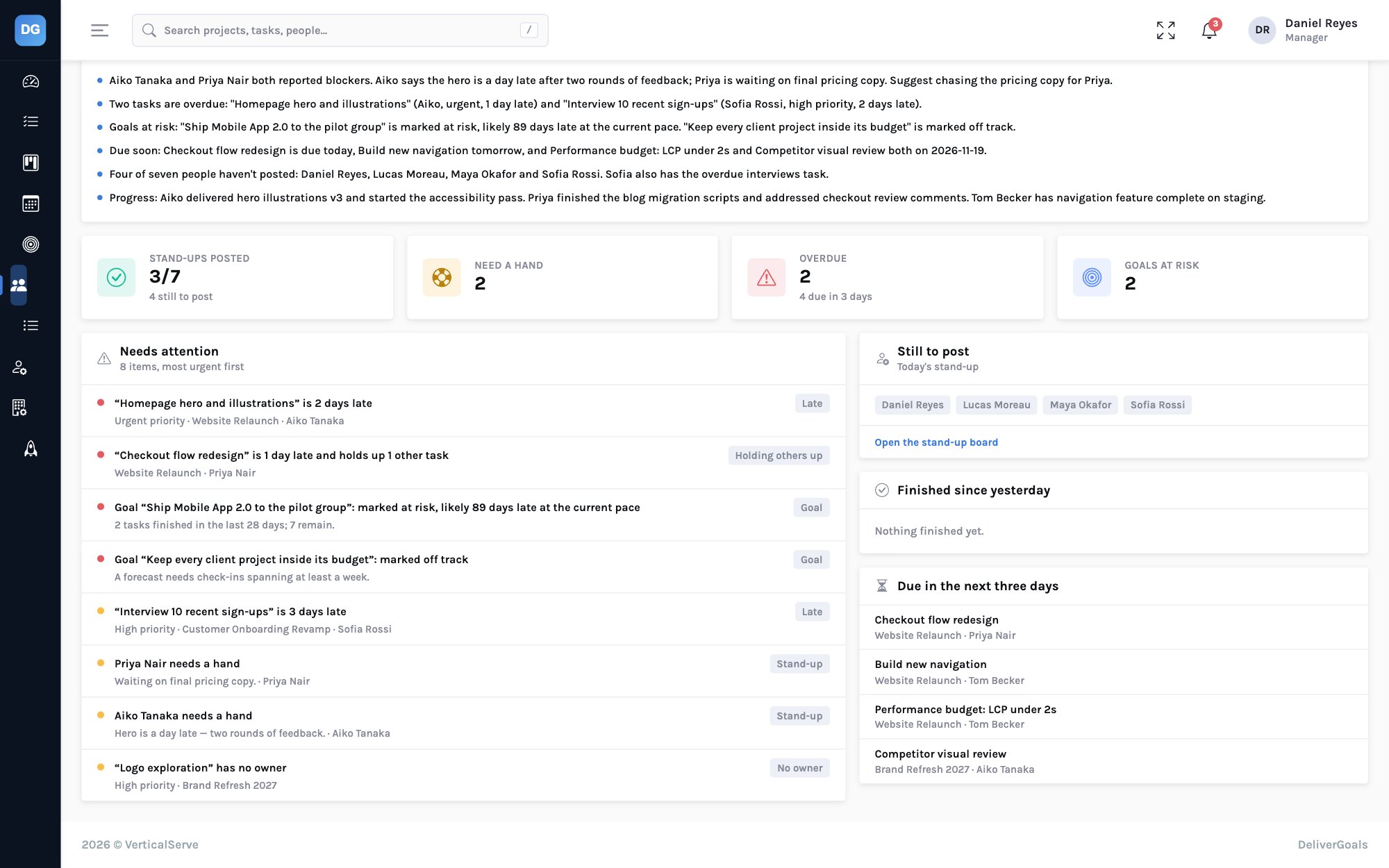
Notice the last line: “Logo exploration has no owner”. That is the freelancer’s task from the Asana import, surfacing two minutes after it arrived. How to use the page is in the manager’s daily brief.
6. Measure: goals that follow the work
A finished board is not the same as a met goal. Website Relaunch exists to lift trial sign-ups; the board can be 100% done and sign-ups flat. So goals sit above projects. Each goal has an owner, a period and a status, and takes its progress from one of three places: key results (a start, a target and a current value), linked projects (tasks done in them), or the owner’s own figure.
Goals now carry a forecast: at the pace the linked work is actually being finished, will this goal land by its date?
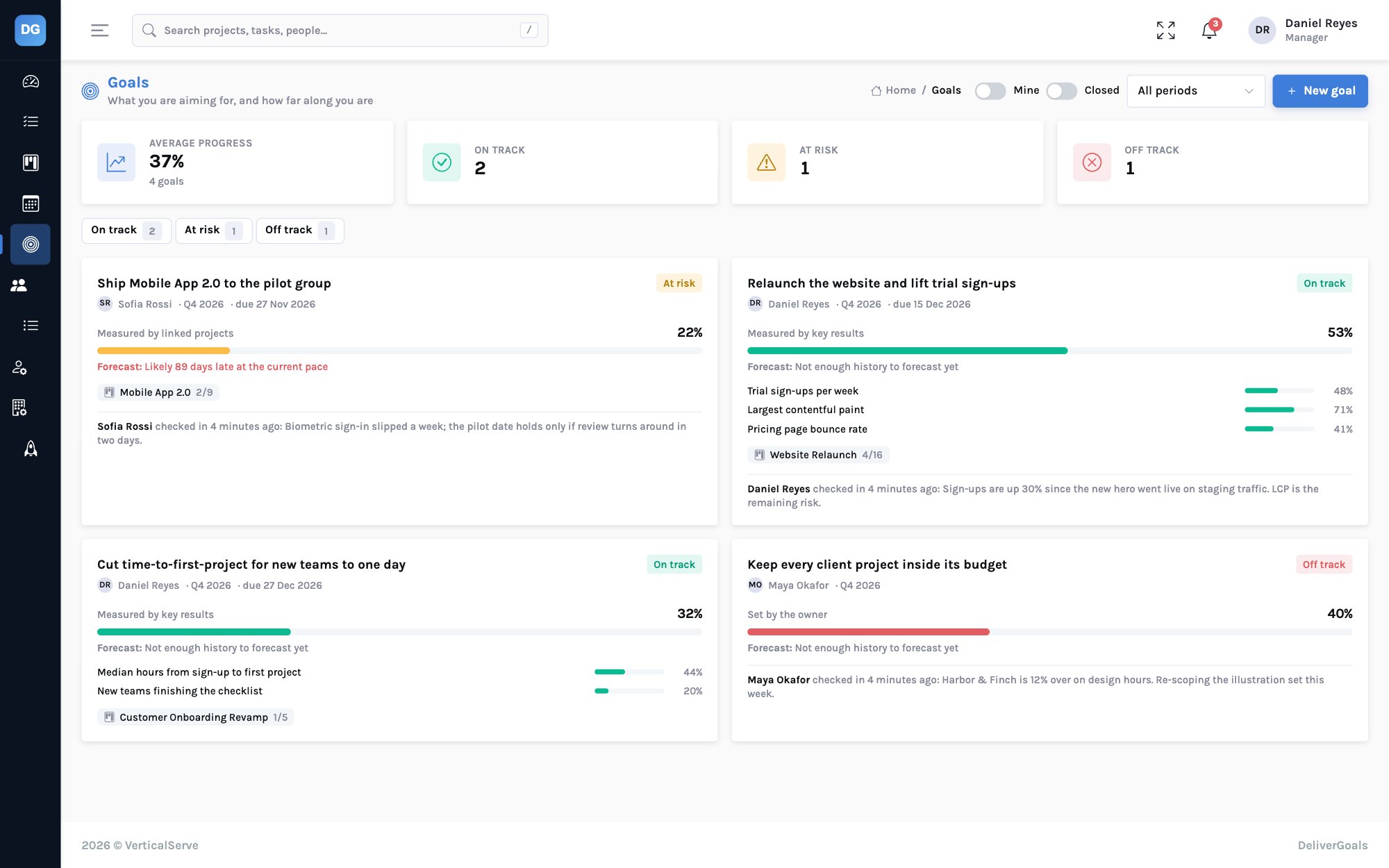
The owner checks in weekly: a status and a sentence. See Goals and goals that measure themselves.
7. Review: once a week, the same three screens
Daily unblocking catches today’s problems. The weekly review catches trends: one person carrying too much for three weeks running, overdue work that keeps coming back, a backlog growing faster than it is finished.
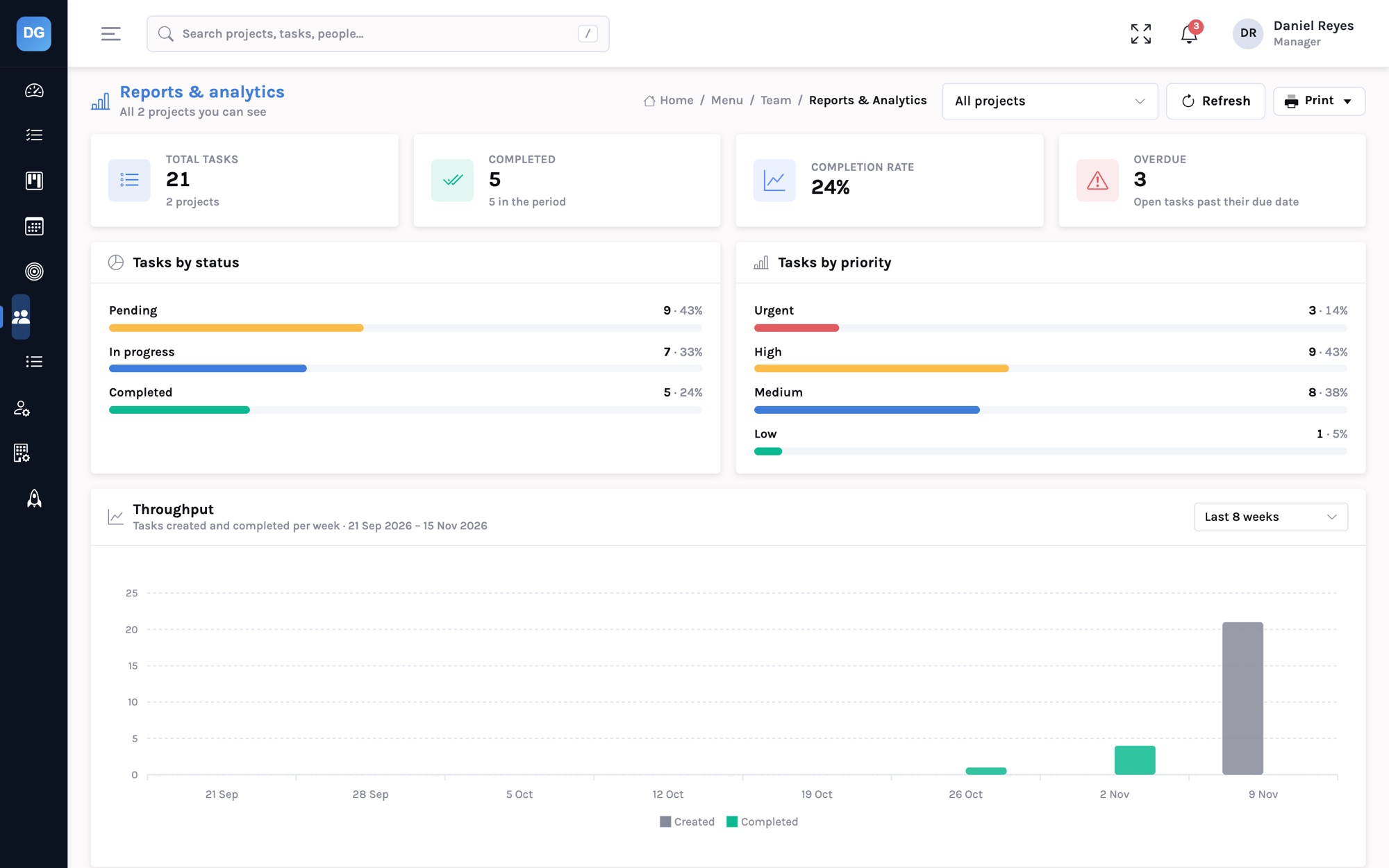
The routine is in a manager’s Monday and the screens are on Stand-ups & reports.
8. Close: finish it properly
Projects rarely end; they fade. Closing one on purpose is worth ten minutes:
- Sweep the board. Every task is either done, moved to a follow-up project, or deleted with a comment saying why. The list view’s bulk actions make this quick.
- Check the goal. Record a final check-in on the goal the project served, with the number it ended on.
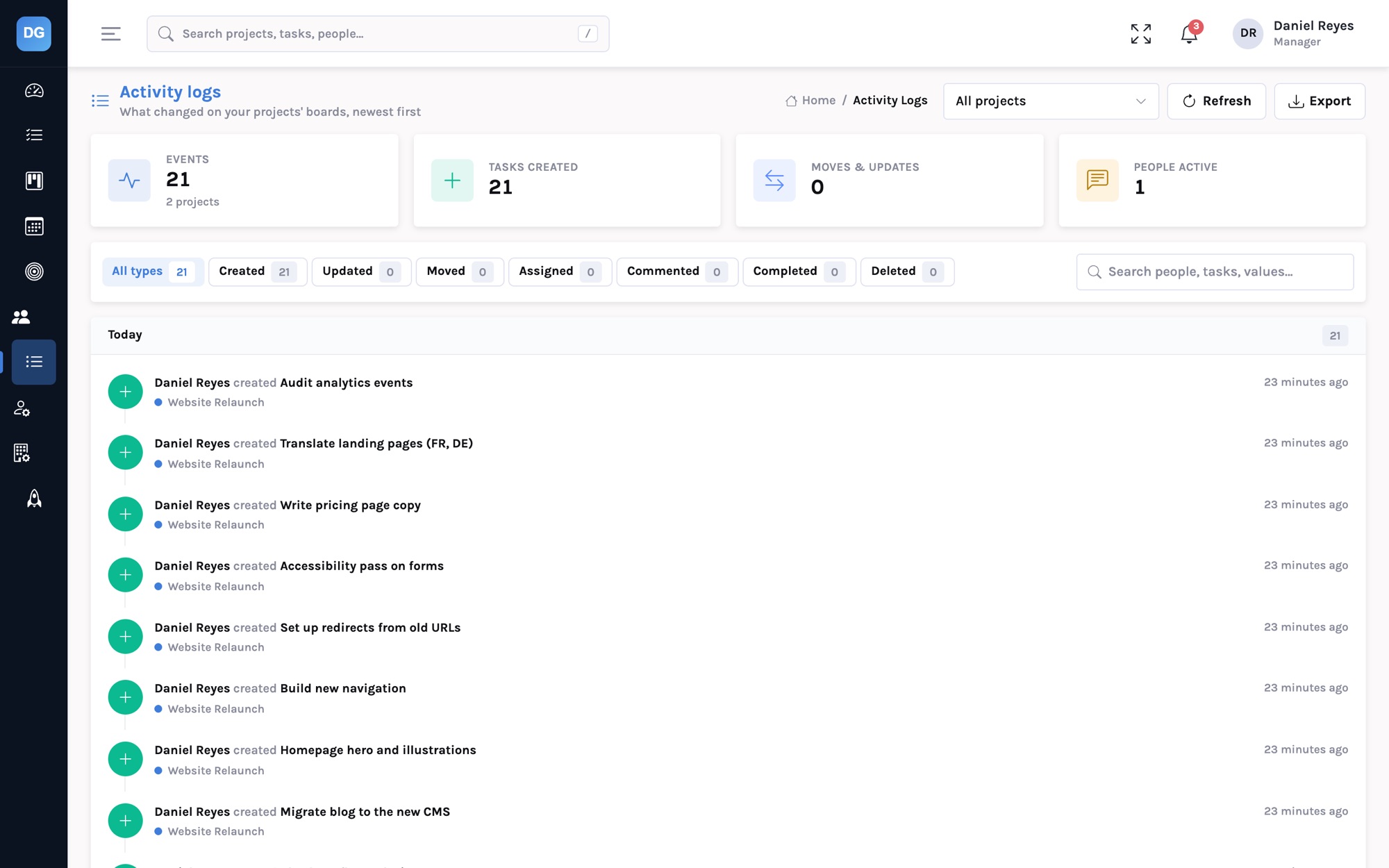
- Keep a record. Export the list as CSV (formula-like cells are neutralised so the file opens safely in a spreadsheet) and the activity log, if the client or your own files need them.
- Mark the project completed. It leaves the active list but its board and history stay; you can reactivate it later.
- Write down one lesson for the next project’s first stage, while it is fresh.
Where each stage usually fails
Every stage has a typical failure. Knowing which one you are in tells you what to fix, and it is rarely the tool.
| Stage | Typical failure | What to look at |
|---|---|---|
| Start | The project starts as a heap of tasks with no shape | Begin from a template, an import or a drafted plan, then cut it down |
| Plan | Every task is due on the same Friday | The timeline: stacked bars and bars that run past a milestone |
| Staff | Tasks owned by “the team” | The board filtered by Anyone; the brief’s no-owner items |
| Run the day | Work happens but the board does not move | The activity log: are people touching cards at all? |
| Unblock | Blockers are reported and nobody answers | Need a hand on the stand-up board; reply before ten |
| Measure | Goals are updated once a quarter, from memory | Forecasts against the owner’s status; weekly check-ins |
| Review | Reports are read once and never compared | The same three screens every Monday, week against week |
| Close | The project fades instead of ending | A swept board, a final check-in, the status set to completed |
Most teams are strong in two or three stages and weak in the rest. A common pattern is a well-planned project (stages 1 and 2) that loses its way in week three because nobody reads the stand-ups (stage 5) and the goal is checked in December (stage 6). The cure is not more planning; it is the five minutes each morning and the twenty each Monday.
- OnceStart, plan, staff
Import or draft the plan, set dates and dependencies, add members, give every task one owner.
- DailyRun and unblock
Everyone works from My tasks and posts a stand-up; the manager reads the team brief and clears what is stuck.
- WeeklyMeasure and review
Goal owners check in; the manager reviews workload, overdue work and throughput.
- OnceClose
Sweep the board, record the goal’s final figure, export what you need, mark the project completed.
Where the cycle has gaps today
Notifications and a morning digest can be emailed, but the brief, the reports and the weekly routine happen when people open them. Time is tracked on tasks and simple automation recipes run per project, but there are no sprints or burndown and no free-form rule builder; Plan with AI and the brief summary need AI to be enabled for the workspace. These are listed honestly on the features page.
Where to start
If you are moving from another tool, start with Import & migration and the guide for Asana, Trello or Jira, or the one-week migration playbook. If your work is in a spreadsheet today, start a board from one project, run stage 4 for two weeks, then add goals. Every stage above is part of the 14-day trial.